
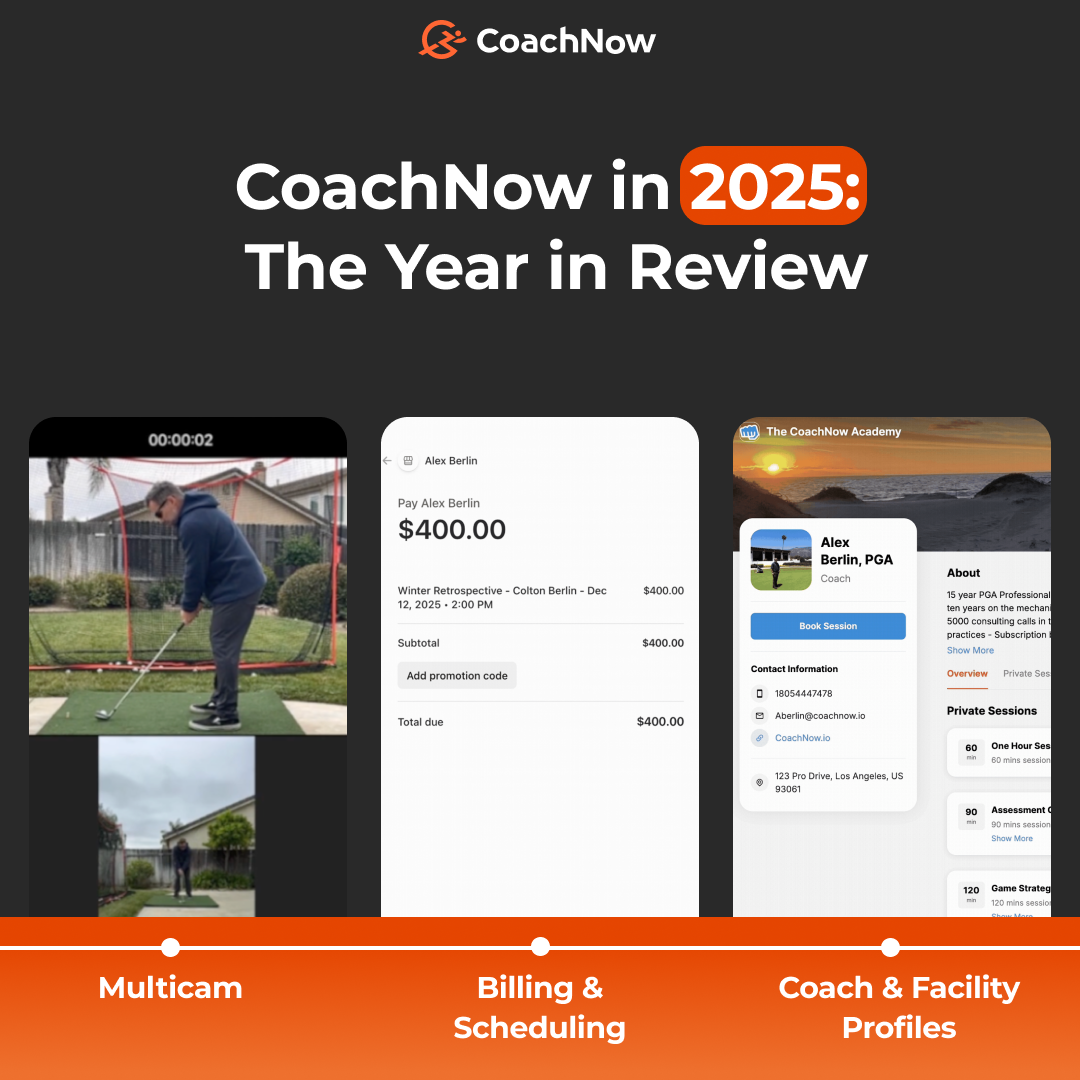
Over the course of 2025, we rolled out numerous exciting launches from a brand new CoachNow membership, CoachNow Academy, to Multicam, Billing and Scheduling, and so much more.
2025 was another year filled with growth, collaboration, and success for our community and our ratings prove it - CoachNow has over 20,000+ 5-star reviews with an average rating of 4.9 stars.
For this blog, we wanted to look back at 2025 and summarize all of the tools and features we released to make your life easier.
Let’s dive in - make sure to let us know which of these releases was your favorite!
Launch of CoachNow Academy
CoachNow has seen many evolutions since its launch over a decade ago.
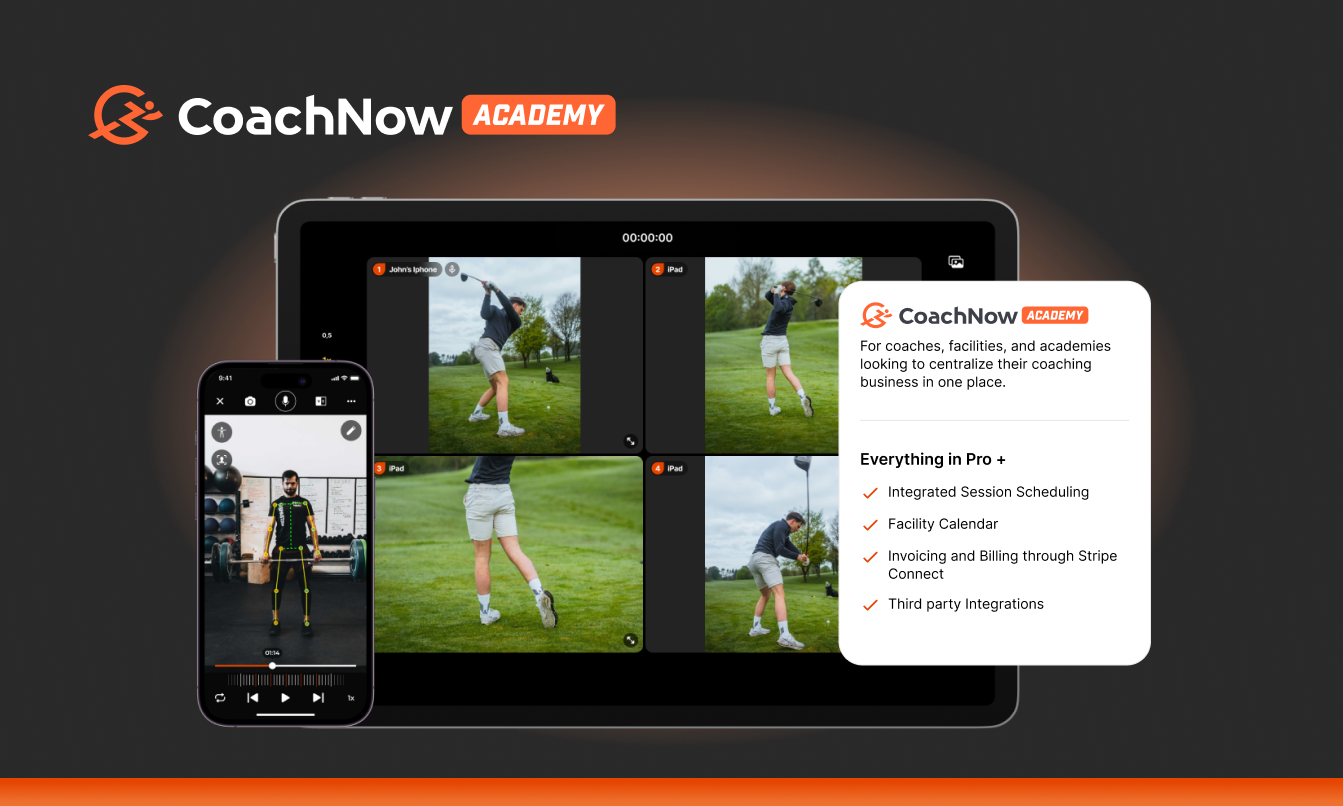
In 2025, we were happy to announce a major step forward in making CoachNow your one-stop-shop for EVERYTHING coaching by launching CoachNow Academy by Golf Genius.
We listened closely to your feedback and developed CoachNow Academy to significantly expand CoachNow’s functionality, for coaches, facilities, and academies looking to centralize their coaching business and offer a consistent experience to their athletes.
From scheduling and facility calendar to billing and programming, third party integrations, post and template scheduling, and so much more, CoachNow Academy has everything you need to make 2026 your best year yet.
Multicam
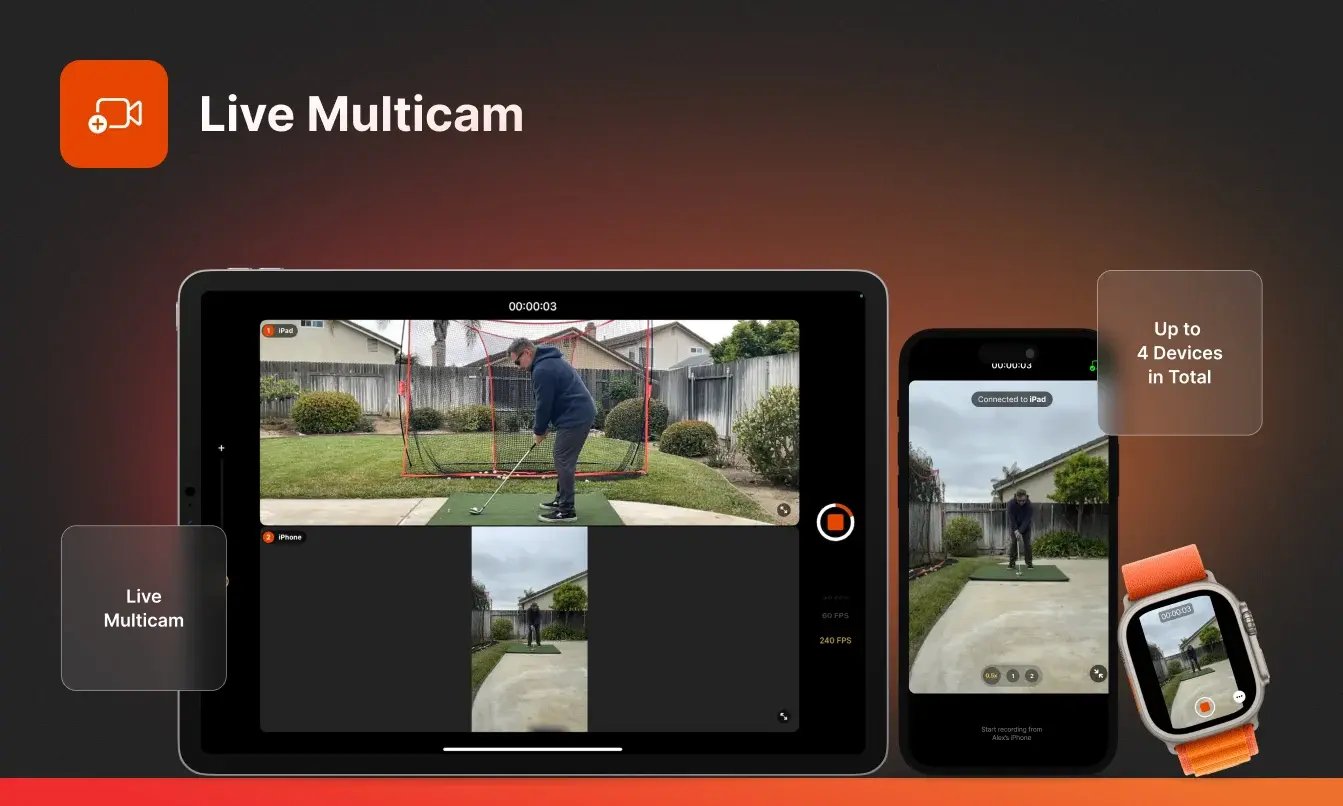
Multicam is the latest feature we designed to give you and your athletes more insight with every rep.
Whether you're breaking down a swing, analyzing a lift, or reviewing movement in any sport, Multicam makes it easier than ever to coach with context—all without leaving the CoachNow platform.
How it helps you:
Multicam allows you to record a single movement using multiple cameras—capturing different angles at the same time. You can now:
-
Use multiple cameras on a single movement
-
Analyze form and technique from every perspective
-
Deliver even clearer, more impactful feedback
This means faster progress, clearer communication, and deeper engagement for your athletes.
How to use:
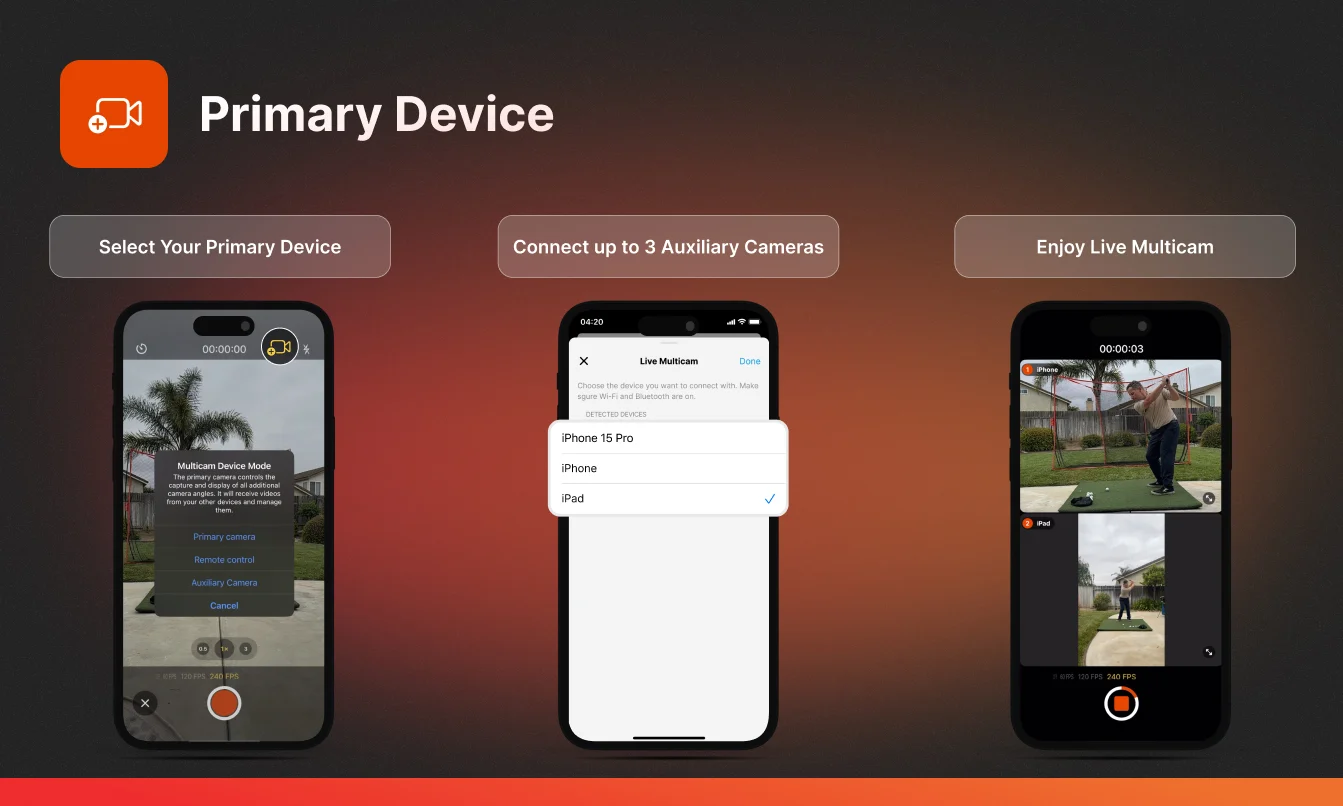
Getting started is simple. In just a few steps, you can link multiple devices and start recording from different angles.
Want help setting it up? Check out our Help Article for step-by-step instructions.
Payments and Subscriptions
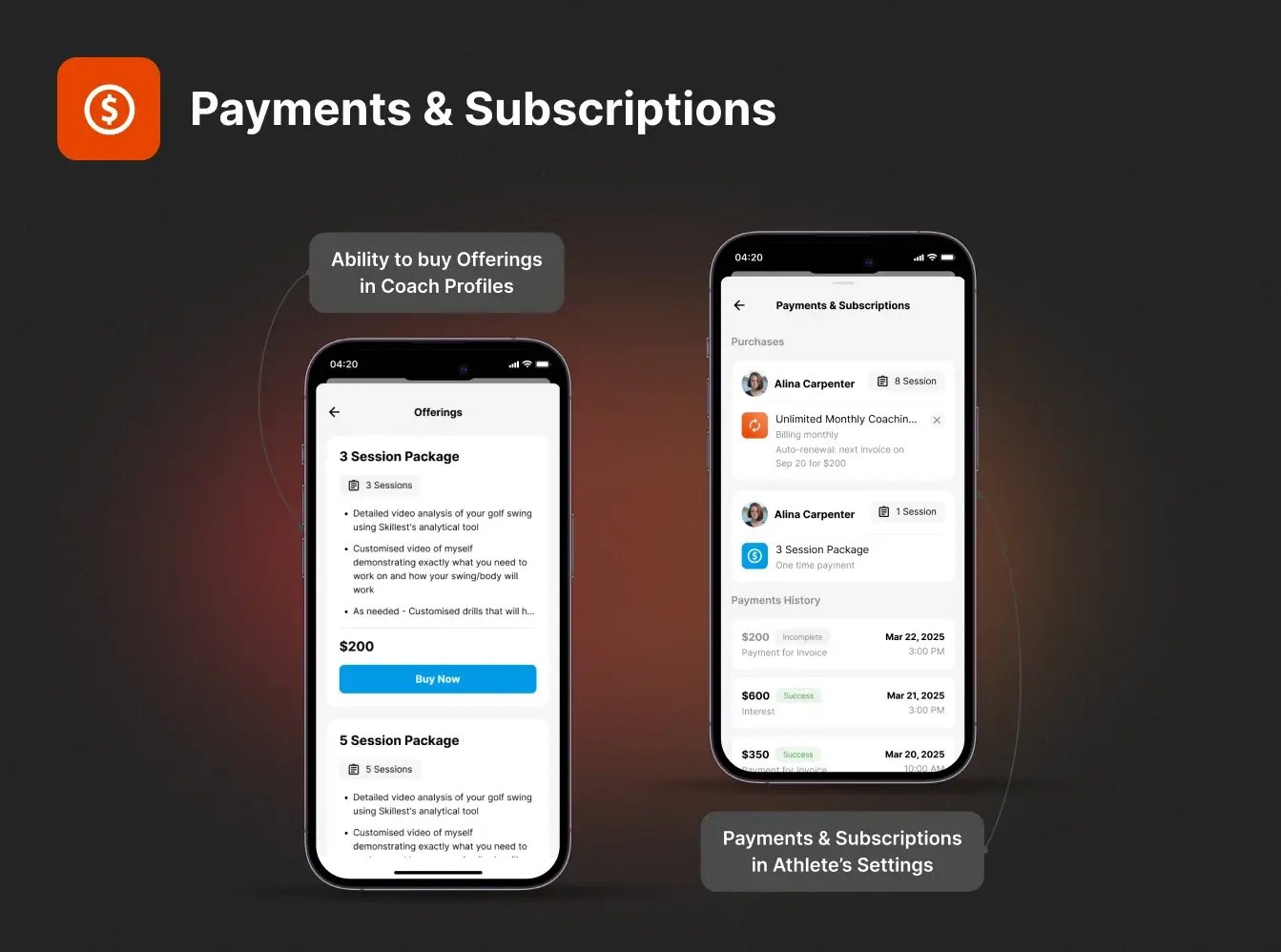
With the release of CoachNow 7.0, we also rolled out one of our most requested features: Payments and Subscriptions—now directly in the CoachNow app.
Until now, coaches using Stripe for billing could only list their offers through the web, leaving athletes to navigate away from the app to make a purchase.
But with this update, all your offers are now visible and purchasable directly inside the CoachNow app.
How it helps you: It’s easier than ever for athletes to book, pay, and stay connected.
Athlete Home Screen
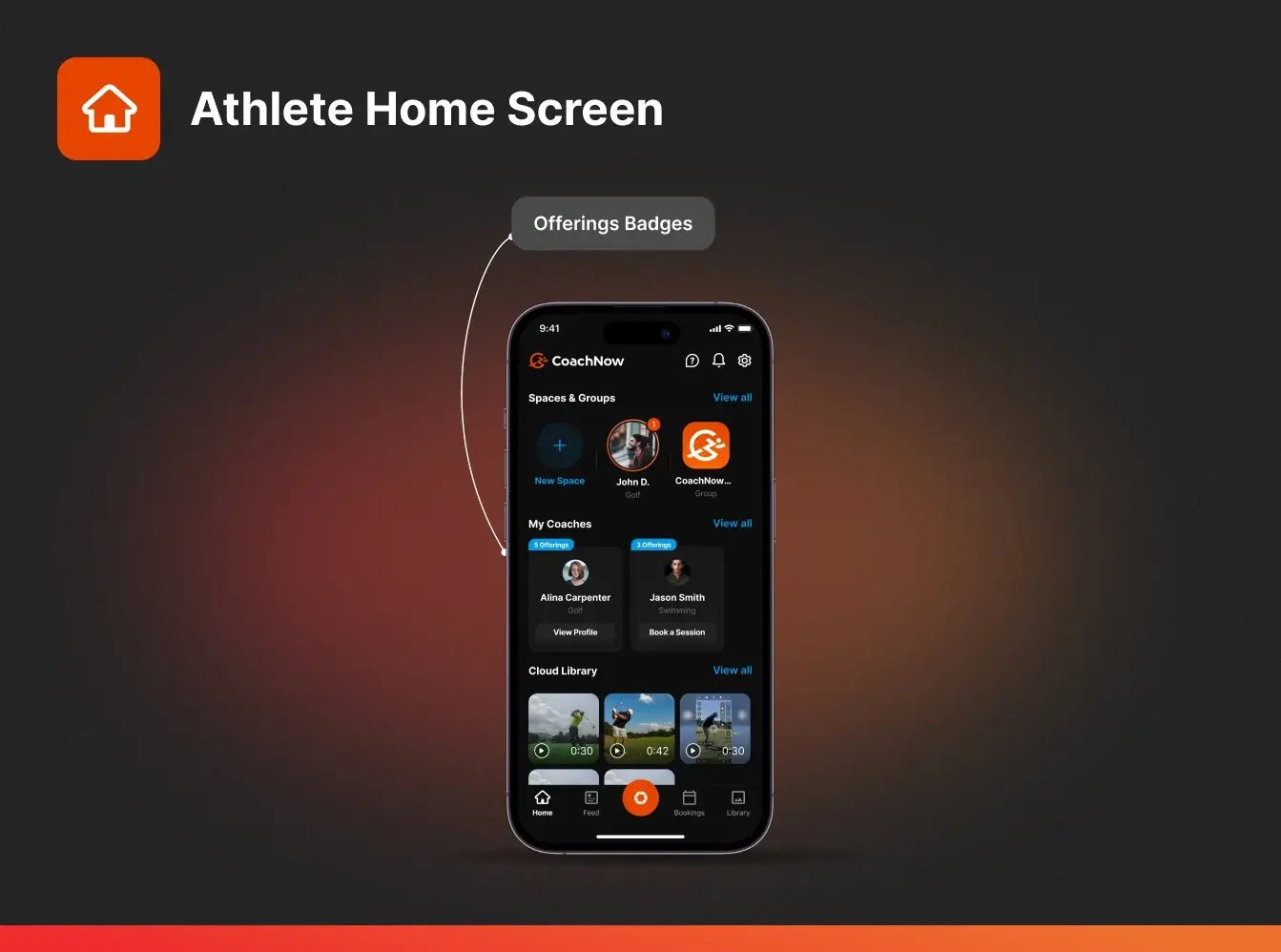
When you create offers (like a subscription or session package) through Stripe, a new badge will appear on your Coach Profile in-app. This badge displays how many active offers you have, making it simple for connected athletes to discover and purchase them, right where they’re already spending their time.
Athlete Profiles
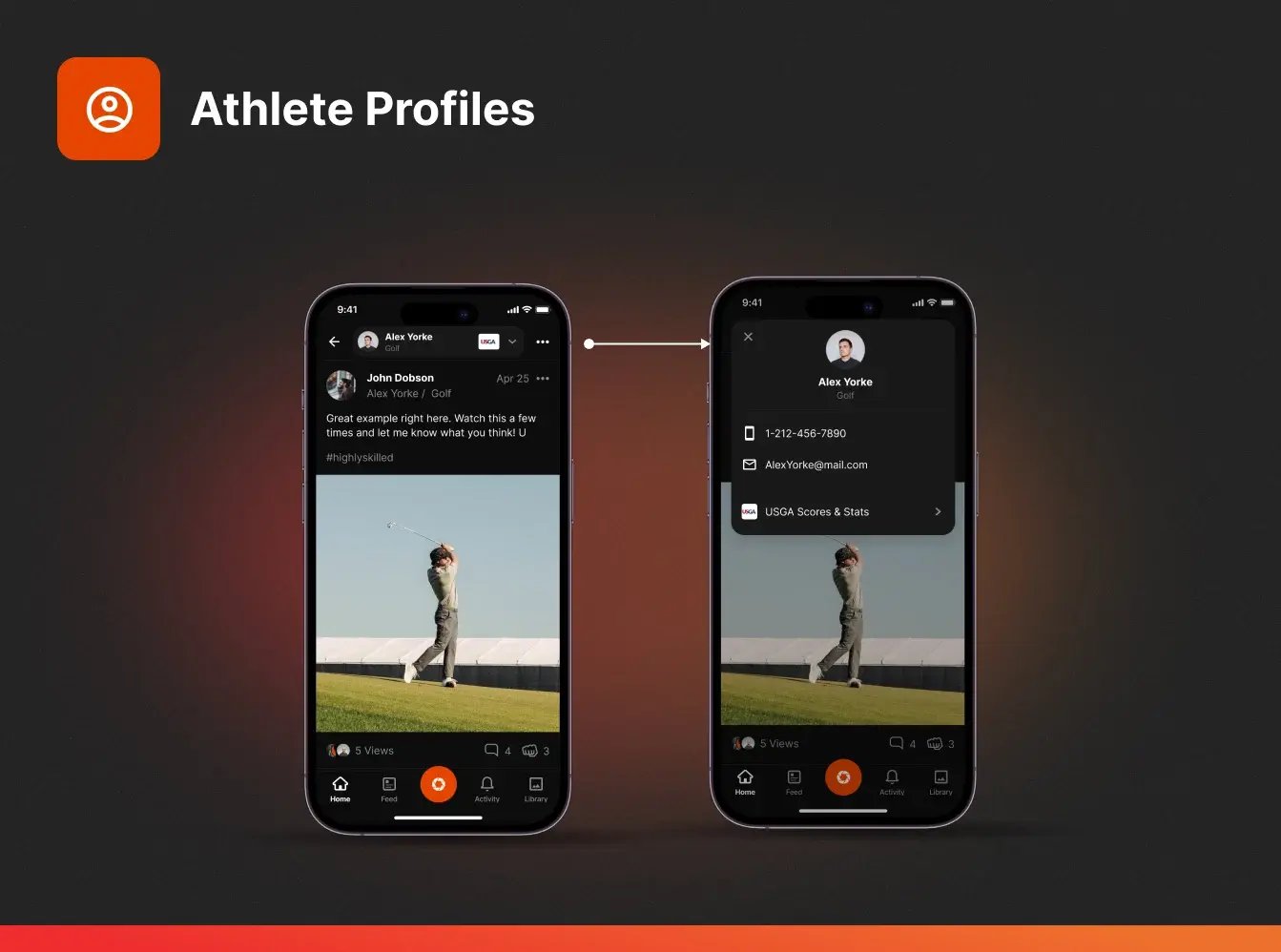
We’ve also released a significant upgrade to athlete profiles (Web App only).
You can now:
-
View an athlete’s complete booking and purchase history
-
See their current subscriptions
-
Know which programs or sessions they’ve completed
How it helps you: You can quickly check what’s upcoming, all in one place. By seeing each athlete’s booking history and all of their information in one place, you’ll add countless hours back to your schedule.
How to use: Navigate to each athlete's profile to view their history, subscriptions, and other important information.
Payment Collection and Automation
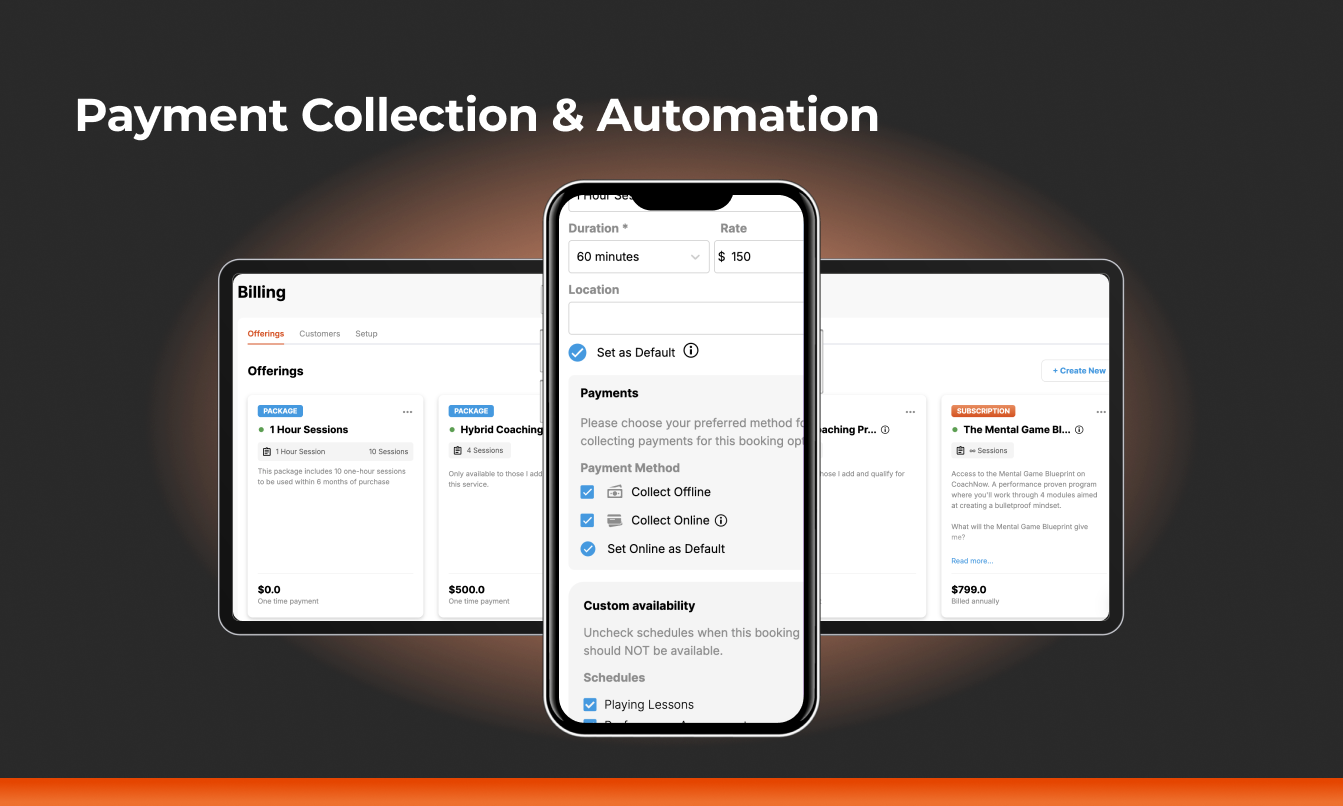
We’ve been hard at work rolling out a series of updates that make it easier than ever to set up, track, and collect payments, all within CoachNow.
Whether you’re offering one-on-one sessions or ongoing subscriptions, our new tools give you greater flexibility when it comes to collecting payments.
Flexible Payment Collection
Getting paid should be simple. With these updates, you now have more control over how and when payments are collected.
-
Upfront Payments: You can now collect full payment right when the booking happens, if you want to. Choose from “Collect Online”, “Collect Offline”, or both to set your preferred method for collecting payments.
For Coaches:
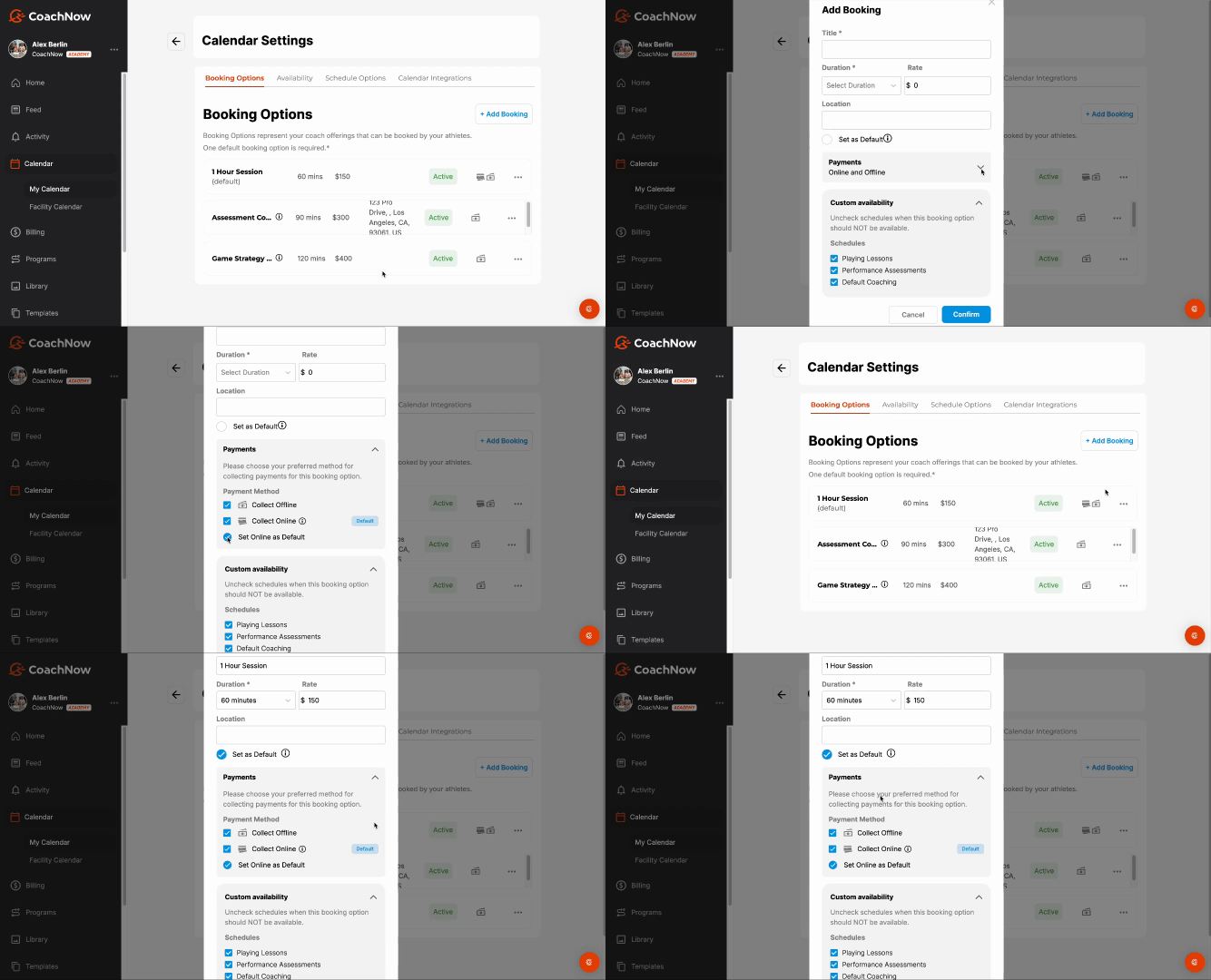
Packages & Subscriptions
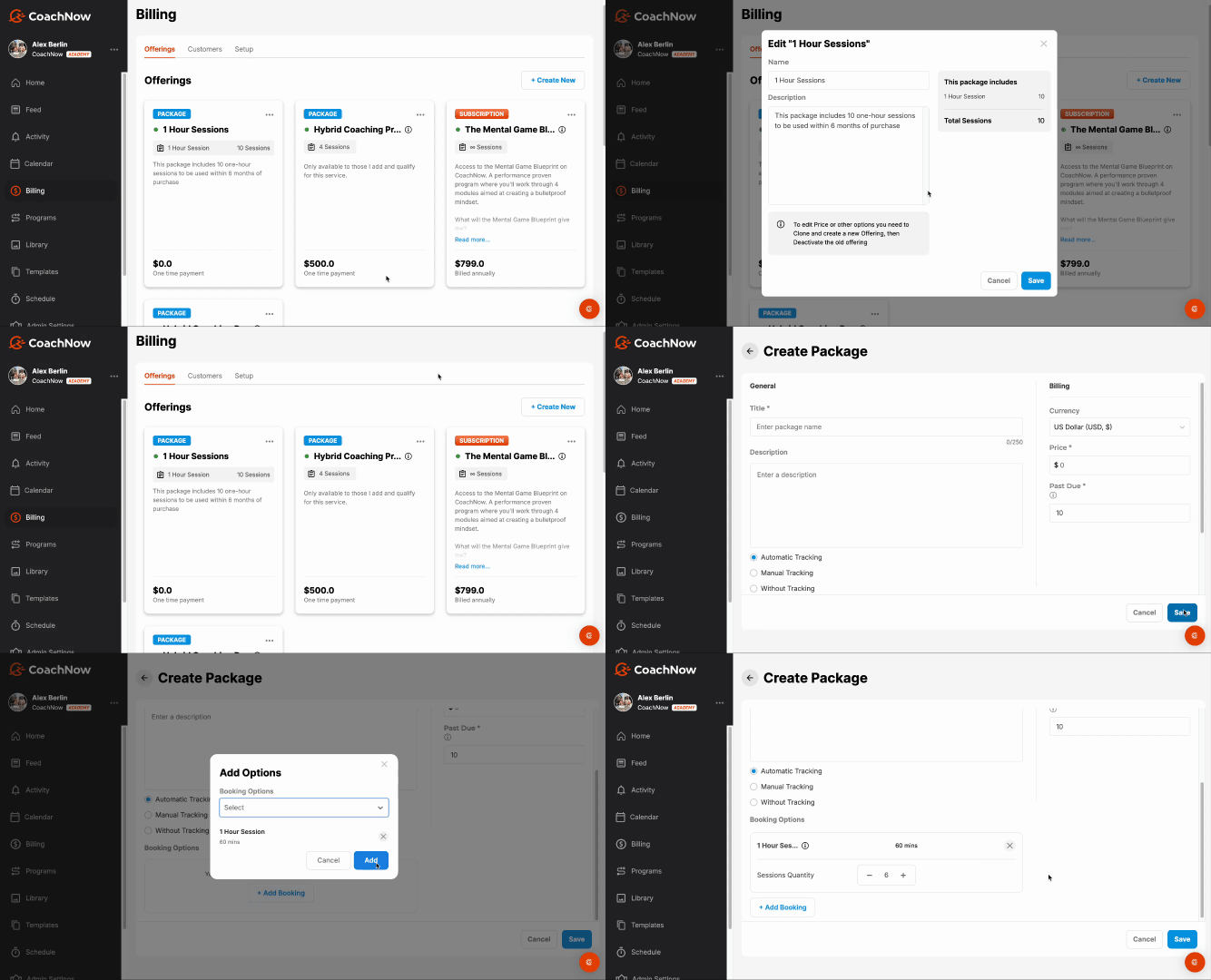
Whether you want to sell one-off packages or set up recurring subscriptions, you now have options:
-
Subscriptions: Athletes pay on a recurring schedule tied to a booking option that is automatically tracked.
-
Packages: Athletes purchase a set number of sessions (non-recurring) that automatically track as they book.
For Coaches:
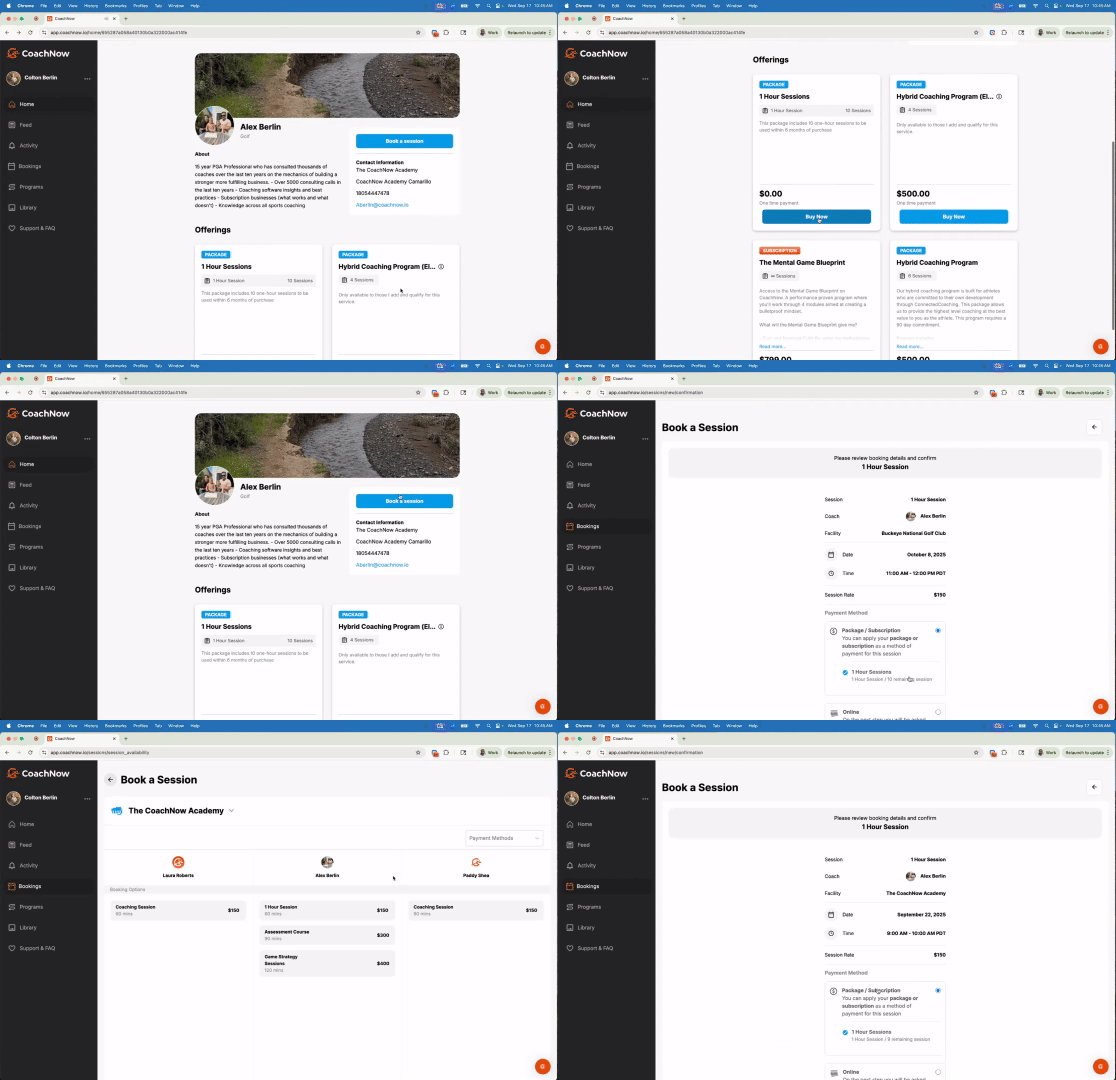
For Athletes:
Desktop
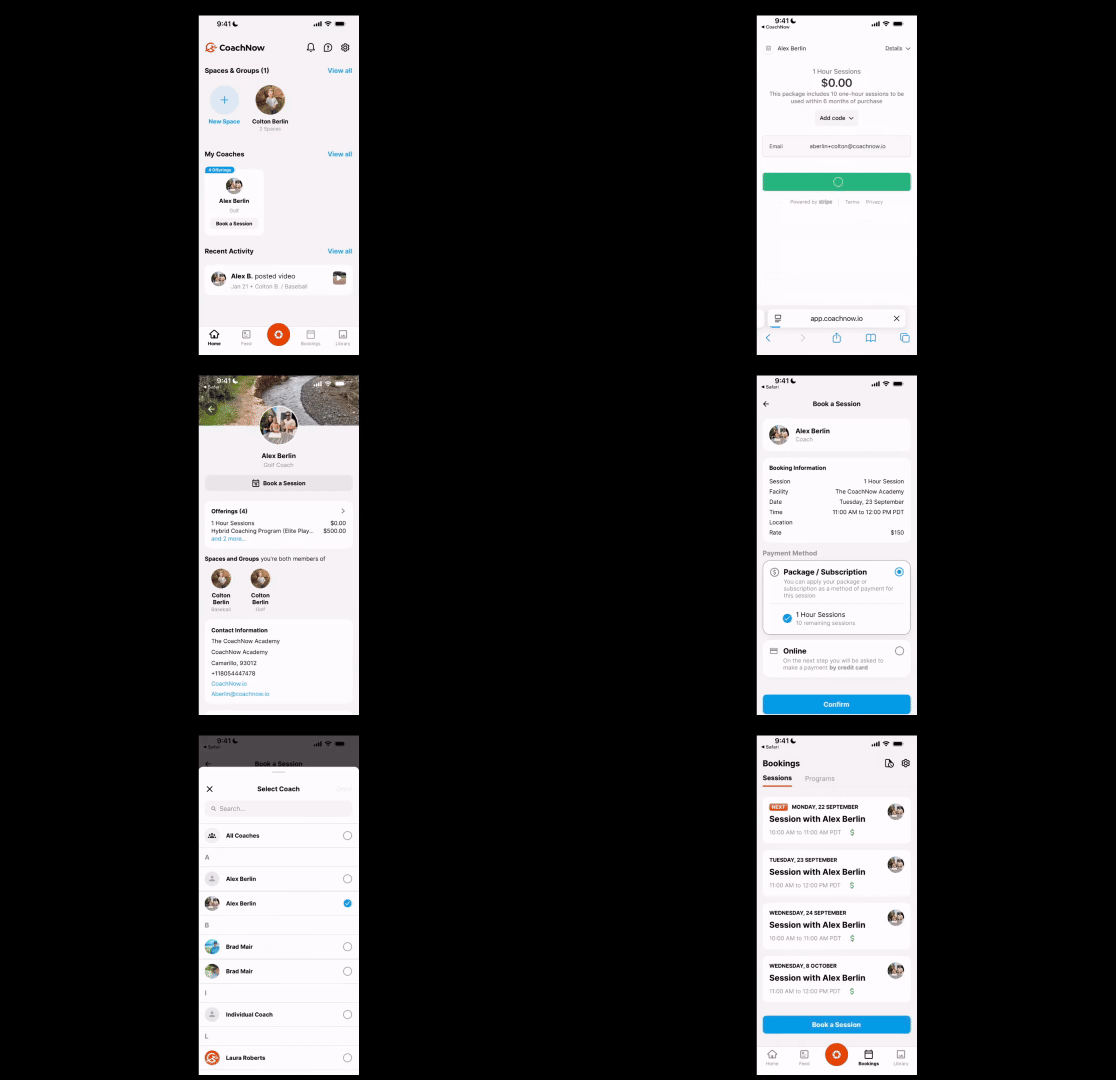
Mobile
Simple Checkout Experience for Athletes
We’ve also made things easier on the athlete side. Now, when athletes go to book:
-
They’ll be taken through Stripe Checkout and given 15 minutes to complete their payment.
-
Athletes can clearly see how many sessions they have left, and every booking deducts one automatically. (Although you can still manually adjust the number of remaining sessions if needed.)
For Athletes:
Desktop
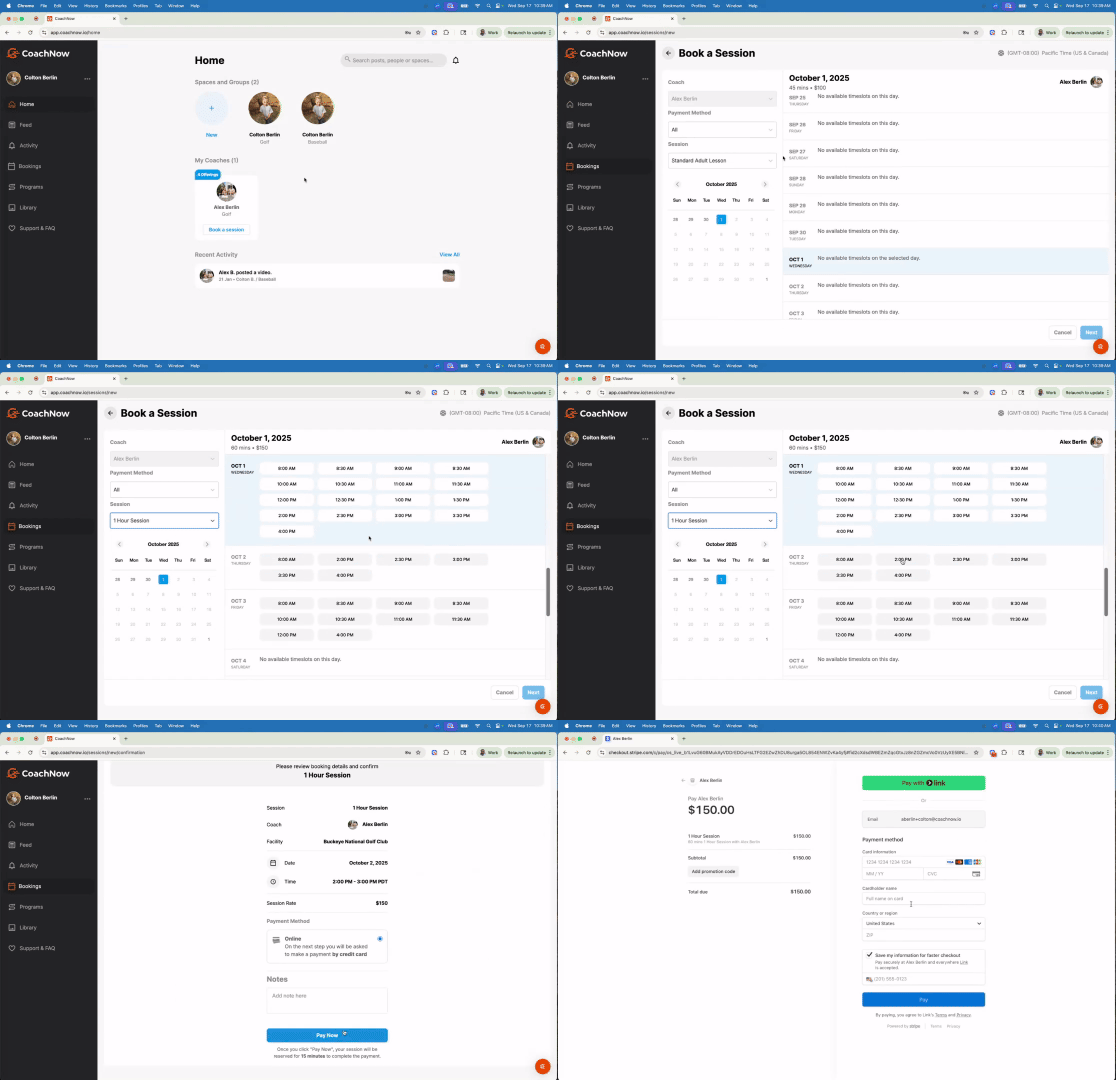
Mobile
.gif?width=465&height=300&name=bookingasessionmobile%20(1).gif)
Easy Stripe Setup
Setting up and connecting your Stripe account has never been easier.
Here’s how to get started:
-
Log in to CoachNow on the web at app.coachnow.io.
-
Look for the “Billing” tab in the side menu.
-
When you first click this tab, you'll see a button that reads "Connect to Stripe."
-
Click here and complete setup with your Stripe account. If you do not have an account, you'll be prompted to create one.
Once connected, you’re ready to start collecting payments directly through CoachNow.
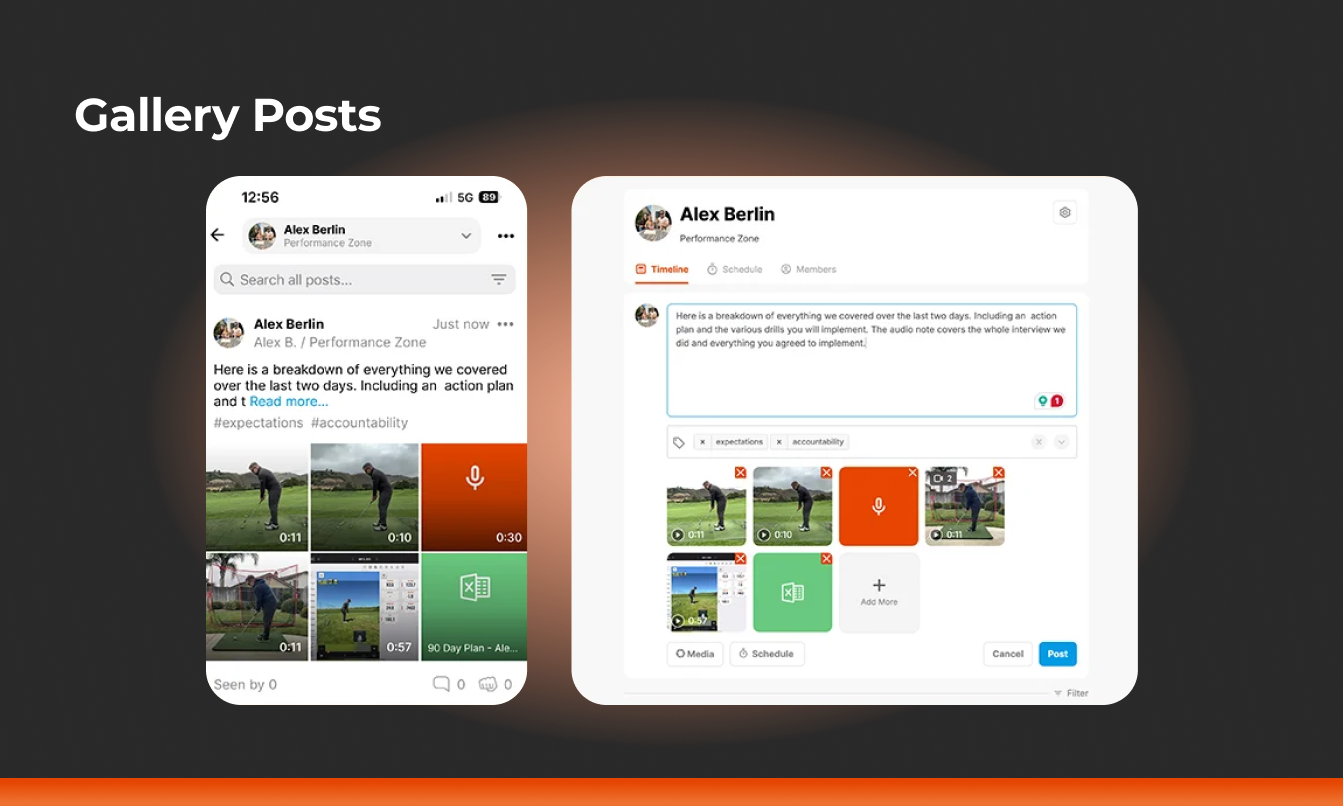
Gallery Posts
For years, coaches and athletes have asked for an easier way to share multiple pieces of content in a single post.
With Gallery Posts, you can now combine videos, images, notes, and audio, all in one streamlined update.
Everything you want to share lives together, making it easier than ever to capture, review, and learn.
How it helps you: Gallery Posts are designed to help you share context-rich training sessions in a single view.
Instead of scattering drills, instructions, or highlights across multiple posts, everything stays organized in one place.
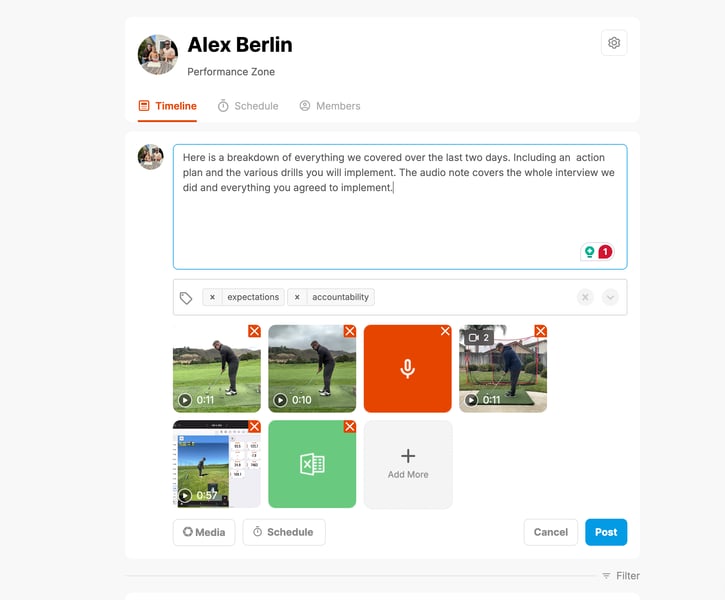
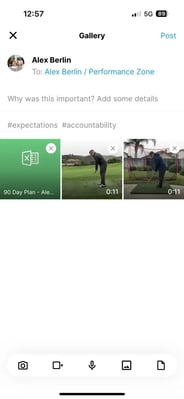
How to use: Whether you're on web or mobile, creating a Gallery Post is simple:
-
Select Multiple Items
From your library, desktop, or camera roll, you can now choose multiple photos, videos, or files at once.
Desktop
Mobile
2. Add More as You Go
Capture something new mid-session? No problem. You can continue adding more media, even mixing in text and audio notes, without starting over.
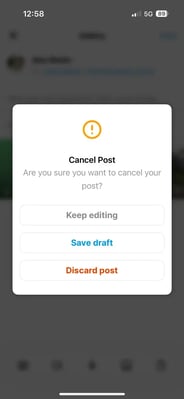
3. Save Drafts for Later
Not ready to post right away? You can now save your work as a draft, revisit it anytime, and make edits before publishing. Perfect for when you're on the go but want to polish your post later.
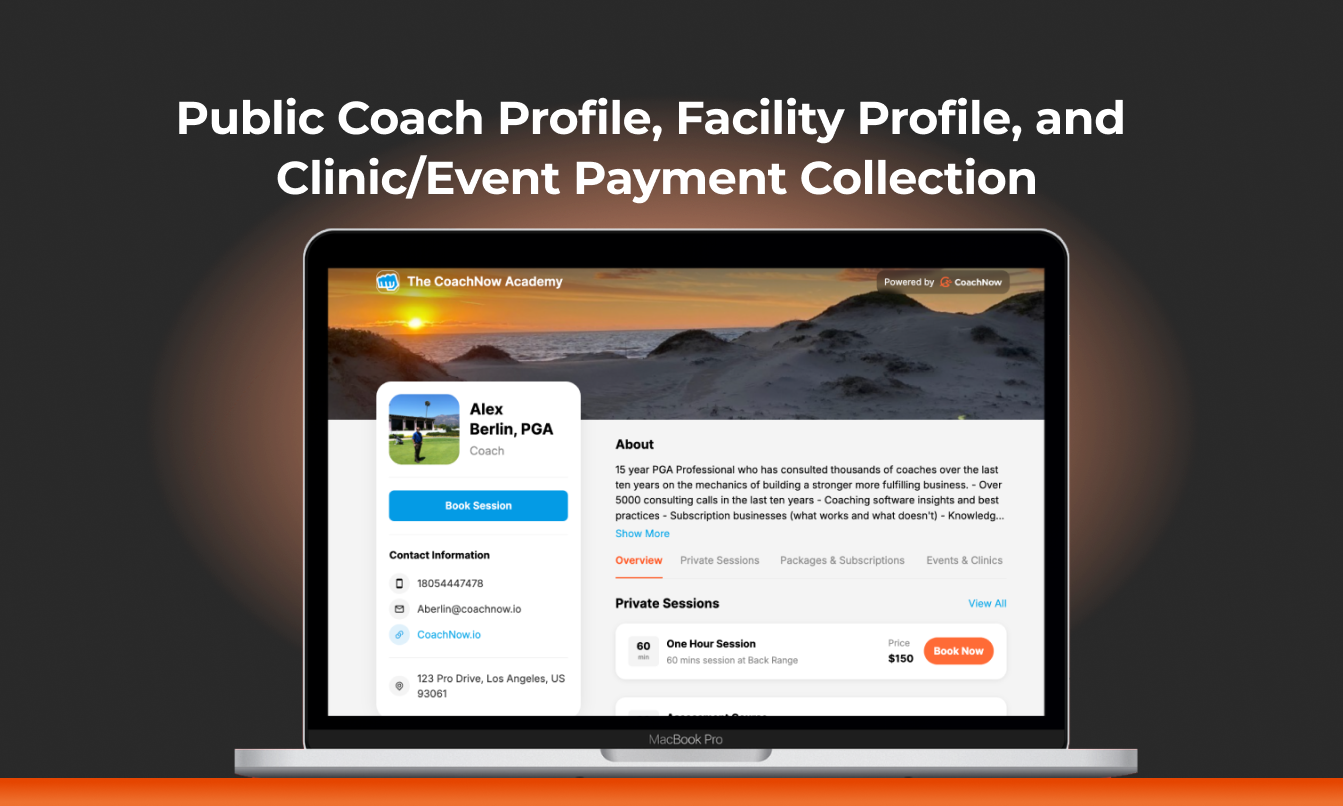
Public Coach Profile, Facility Profile, and Clinic/Event Payment Collection
Public Coach Profile
Major update - now all of your services, packages, and events are in one spot with your Public Coach Profile.
How it helps you: Everything is in one unified place, making it as easy as possible for athlete’s to find you and book with you.
.gif?width=2868&height=1548&name=profile%20(1).gif)
How to use: To turn this feature on, navigate to your coach profile and set it up the way you want it to show to your athletes. You can include contact information, an ‘about’ section, an ‘awards’ section, etc.
This is also where you’ll find the Book & Pay links, the link to your public landing page, and where you can enable/turn on the public landing page (as shown below).
.gif?width=2868&height=1548&name=profile%20(2).gif)
Public Facility Profile
Here’s a preview of what the Facility profile looks like. On this page, you’ll find an ‘about’ section for the Facility, contact information, the coaches who are part of the Facility, as well as a ‘view facility calendar’ button.
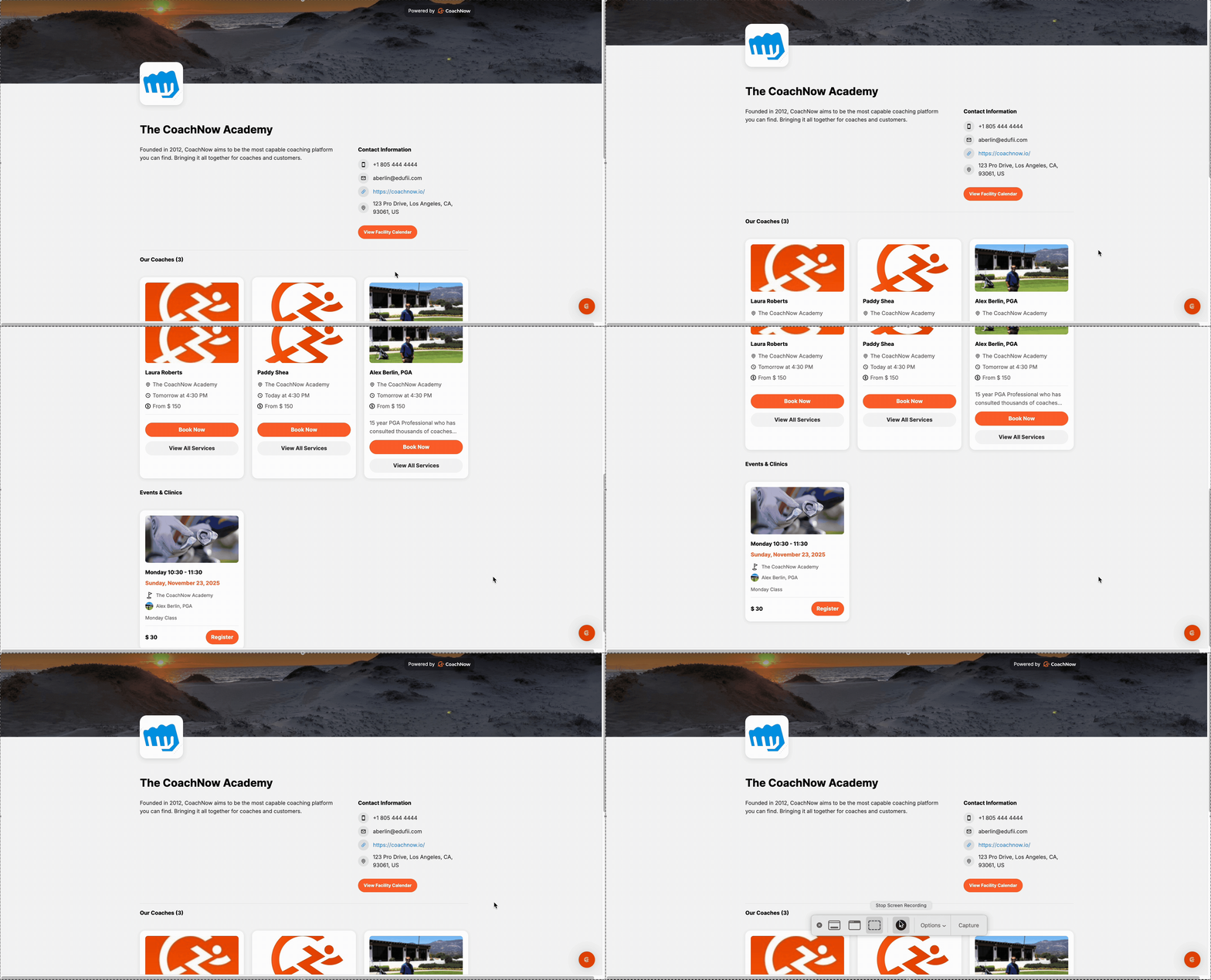
How it helps you: Athletes can see all of the facility’s information in one place and book with the coach that they want in a few simple steps.
How to use: If you don’t see a coach in the preview on the facility profile page, it's because they have not enabled it in their own account under their coach profile. Once they do this, they will appear on the page.
Clinic/Event Payment Collection
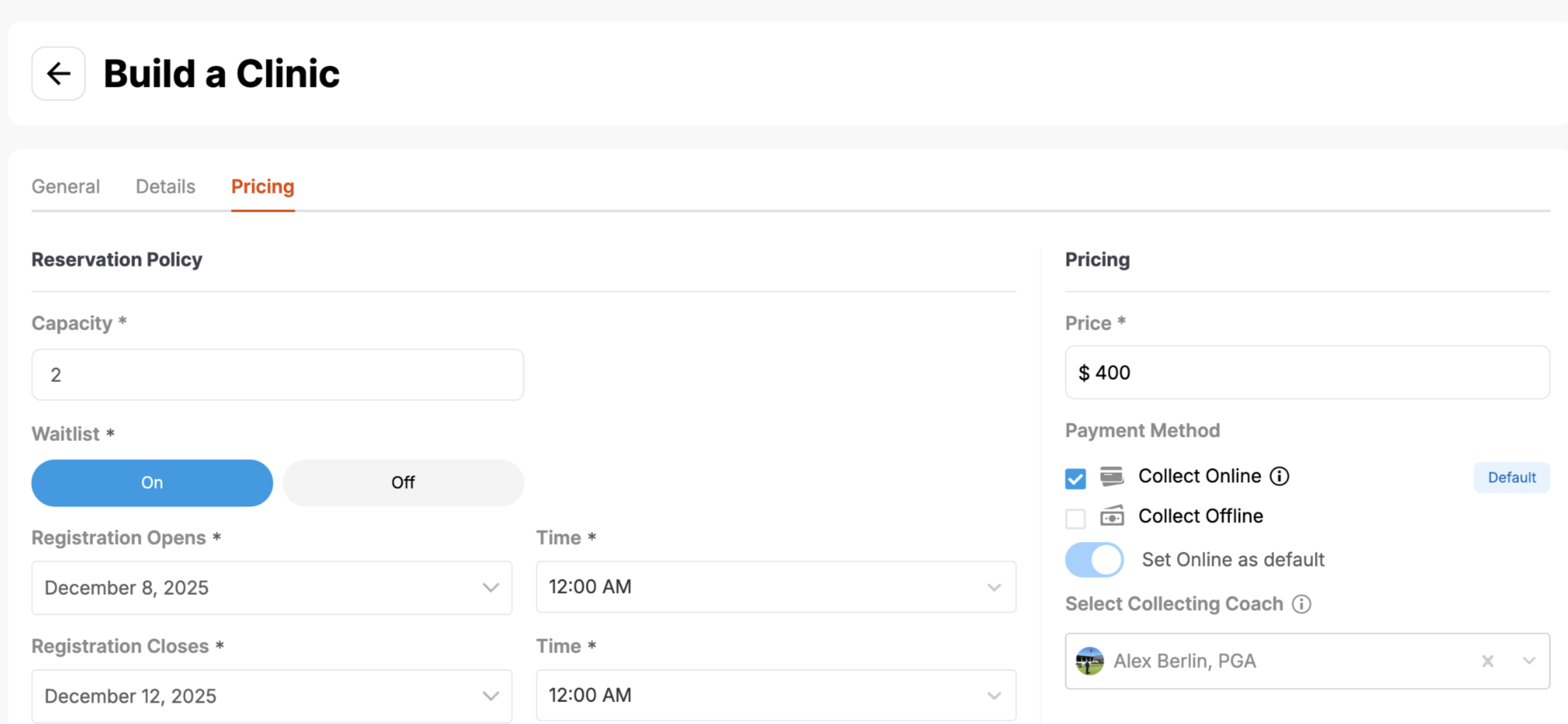
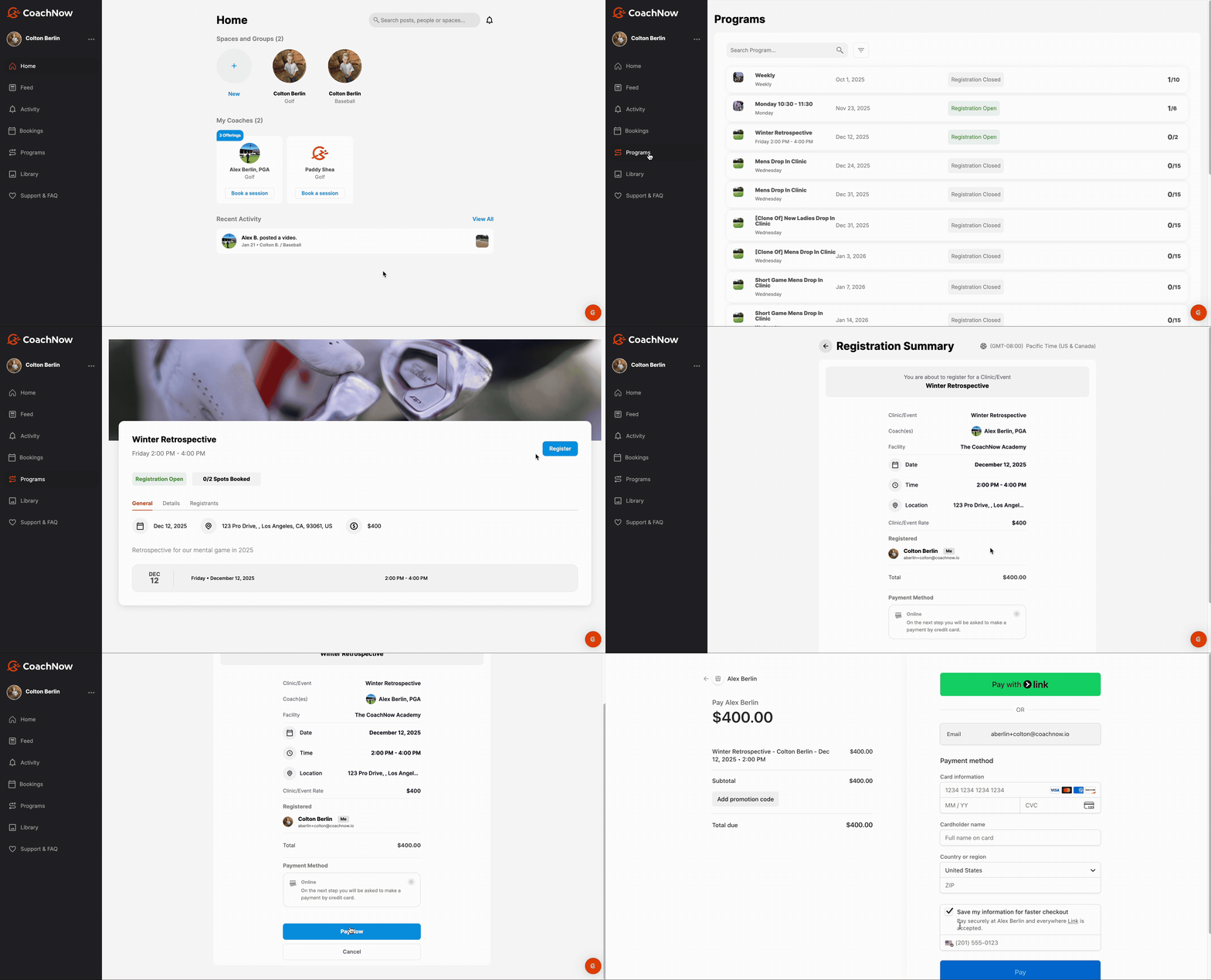
If you have billing connected to your account, you can now turn on the ability to collect online payments, as well as choose who the collecting coach is when an athlete registers for a clinic/event.
How it helps you: When you create a clinic, you can require people to pay up front to book these programs.
How to use: In order to turn this on, navigate to the 'pricing' tab when building your clinic. Find the 'payment method' section and select the box titled 'collect online'. You'll find the dropdown underneath where you can then select the collecting coach.
Coach View (Where to enable online payment collection):
Athlete View:
As we look back at 2025, we rolled out lots of updates to help you minimize stress and spend more time doing what you love - coaching.
Trust us, 2026 is going to be full of new, more powerful upgrades that we’re so excited to share with you.
As always, we’re so grateful to have you as part of our CoachNow community. Here’s to making 2026 your best year coaching yet!