
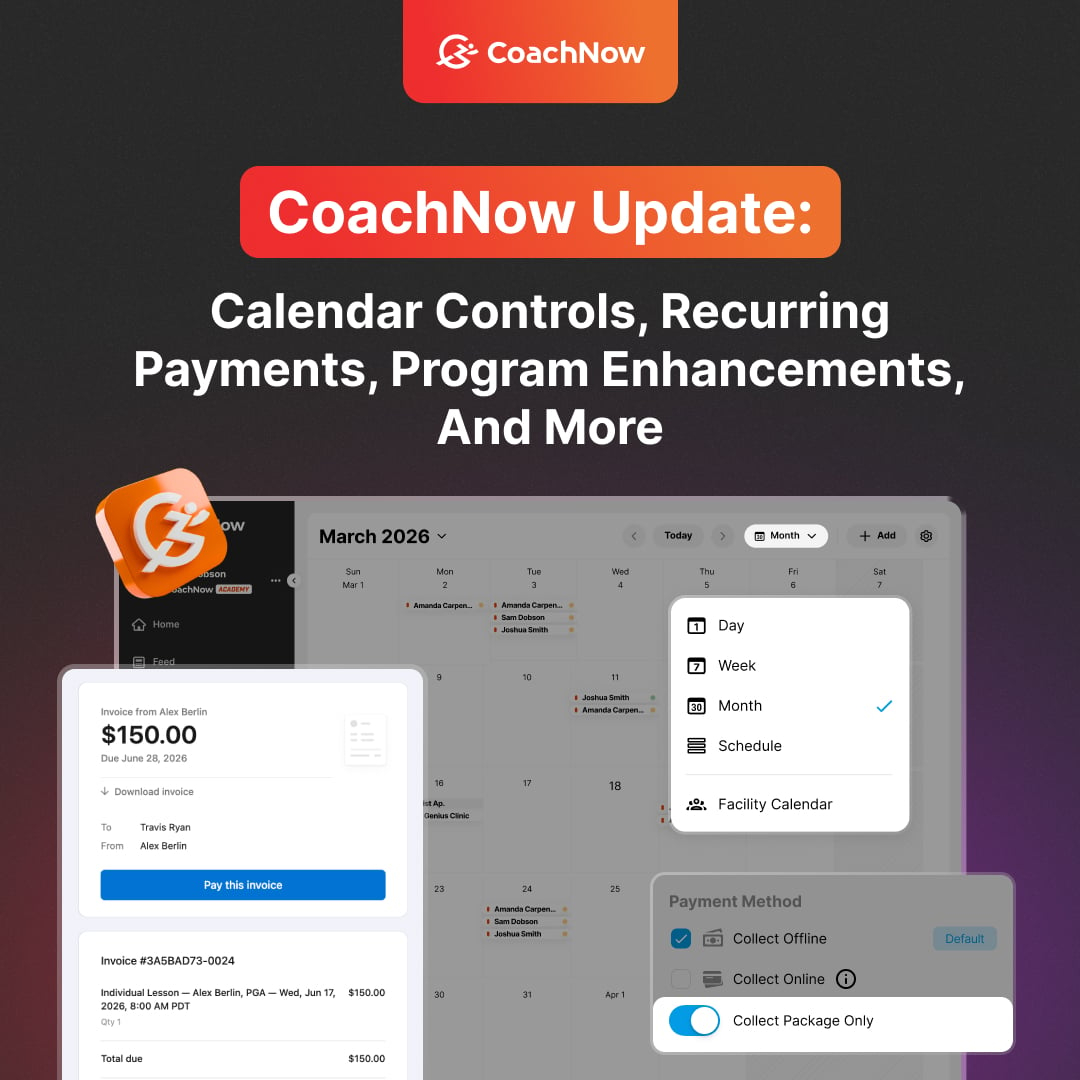
Over the past month, we've shipped a significant round of improvements.
We touched billing, scheduling, reporting, and the client experience, with lots more to come.
Some you may have already noticed - here's a full rundown of what's live and what's coming next.
What's New
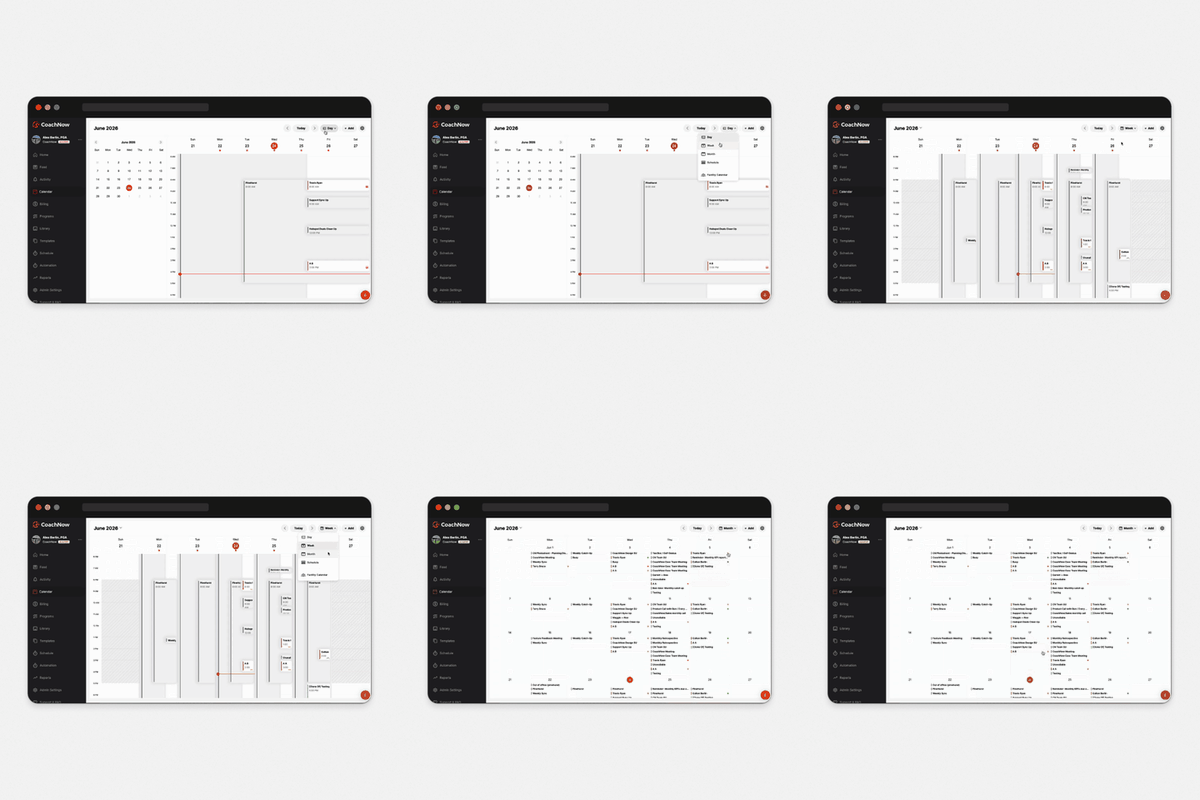
Calendar Controls and Views (Web)
You now have more control over how your calendar displays on web. Switch between views and get a clearer picture of your schedule at a glance.
Mobile is coming soon.
Package-Only Sessions
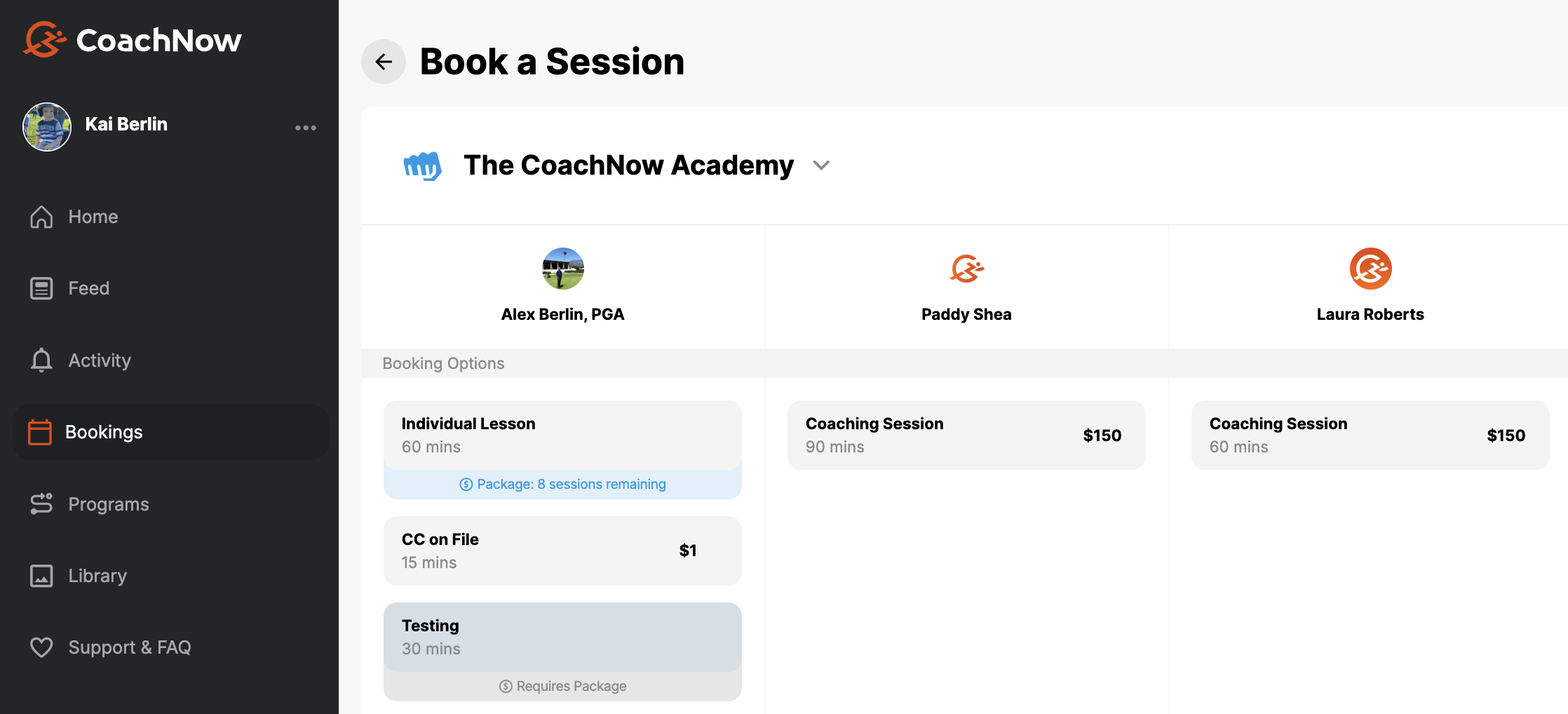
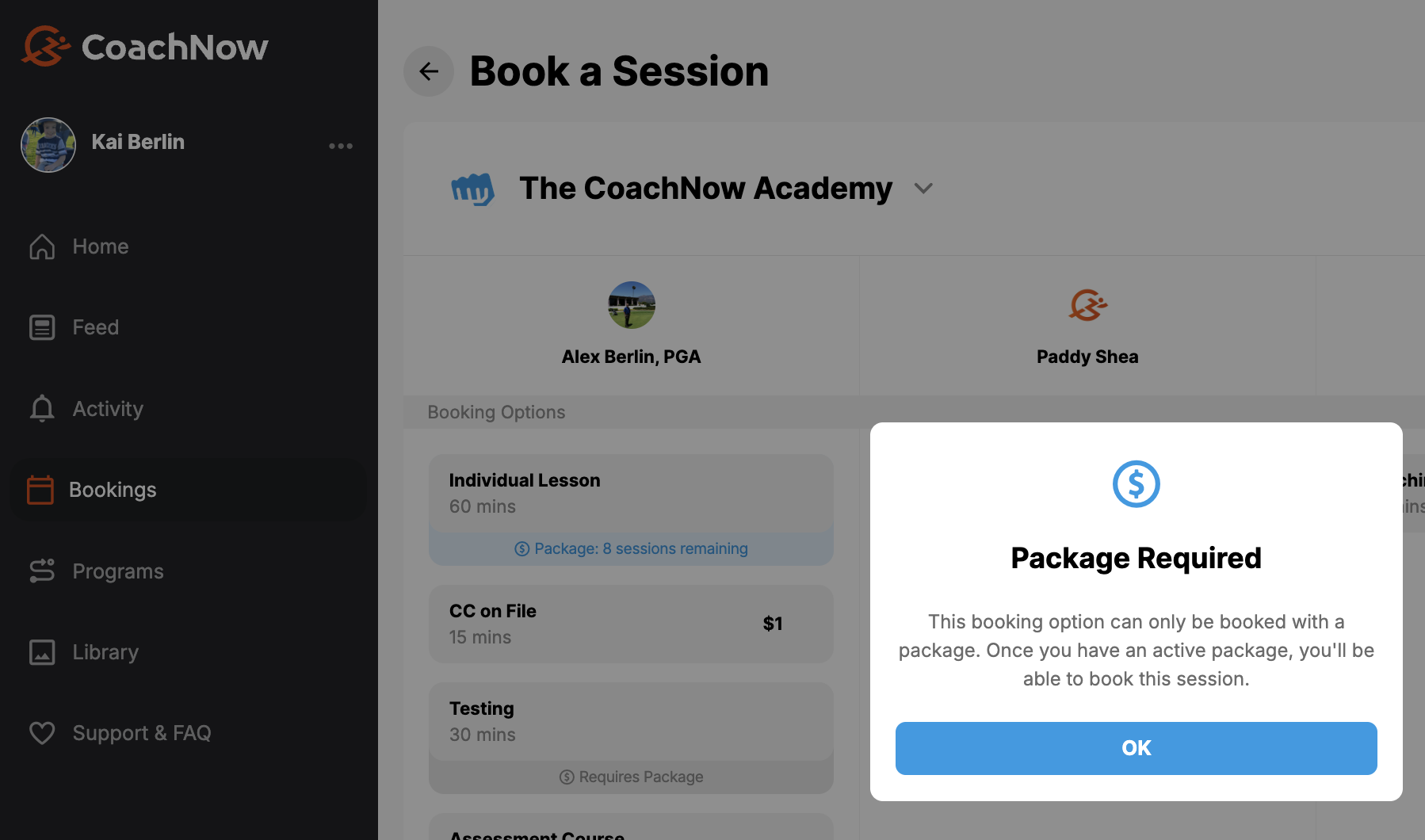
You can now create session types that require a package to book. If a client doesn't have the right package, they can't book that session - no more manual gatekeeping on your end.
Recurring Session Payments
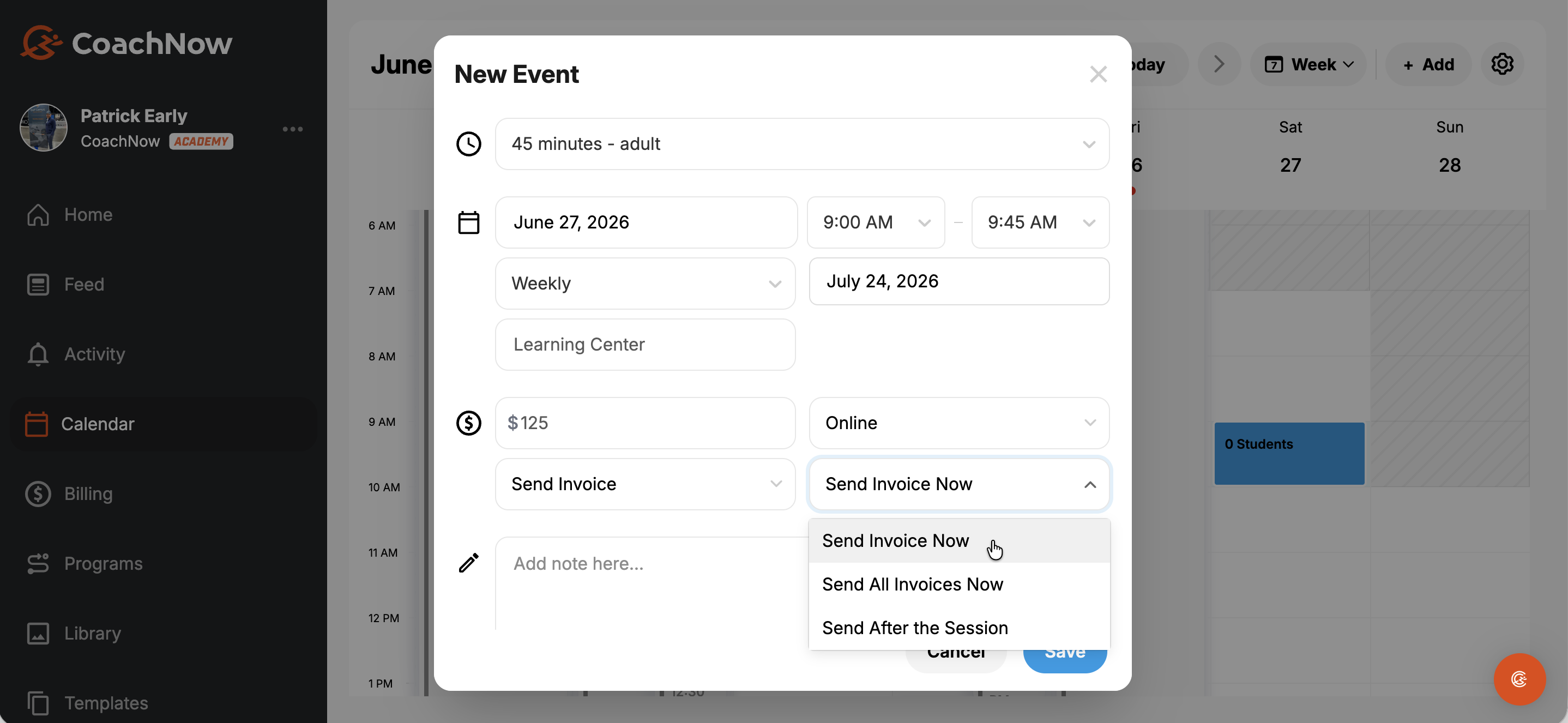
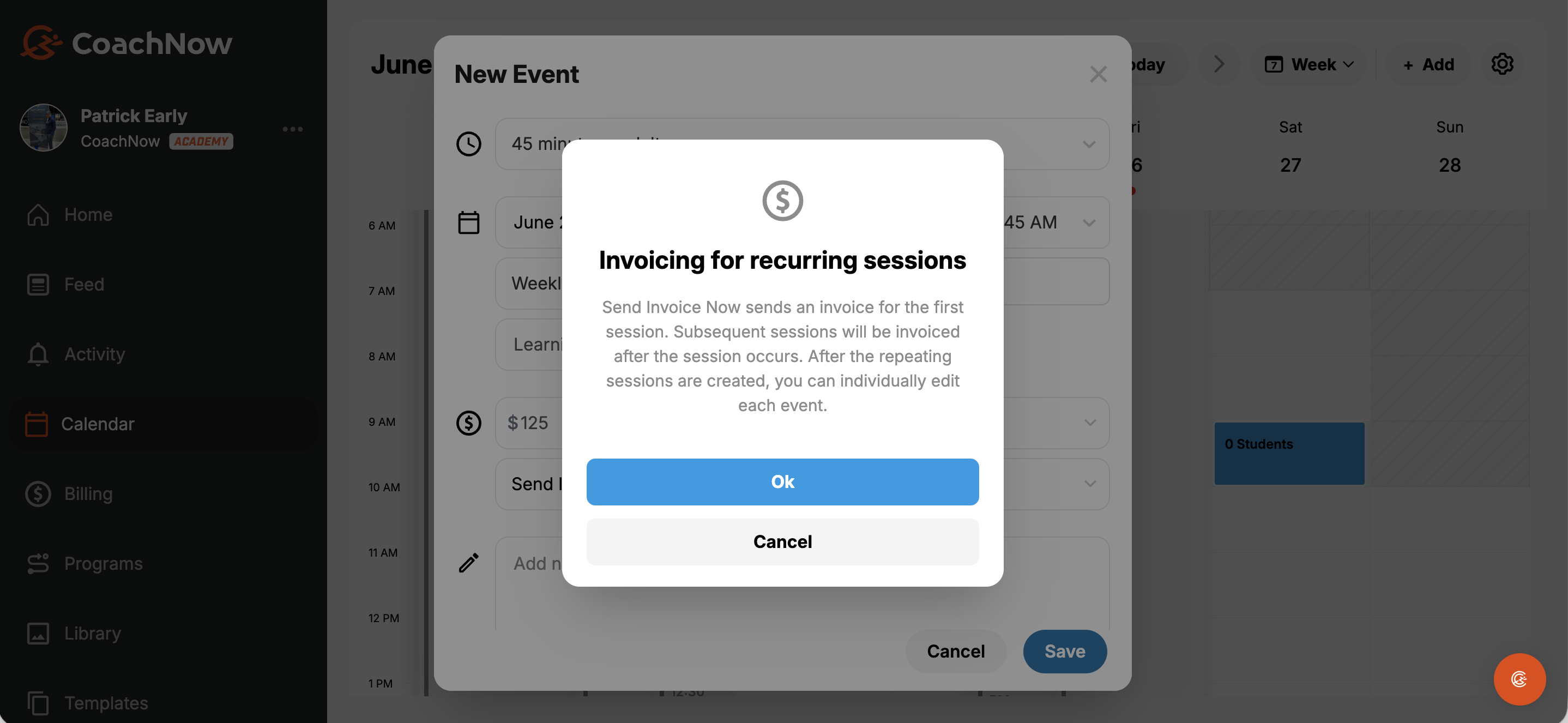
Recurring sessions can now be automatically tied to payment and include controls to send the first session invoice now, send an invoice for all sessions now, or send invoices after each session.
More granular controls are coming soon, but this is live and working now.
Program Enhancements
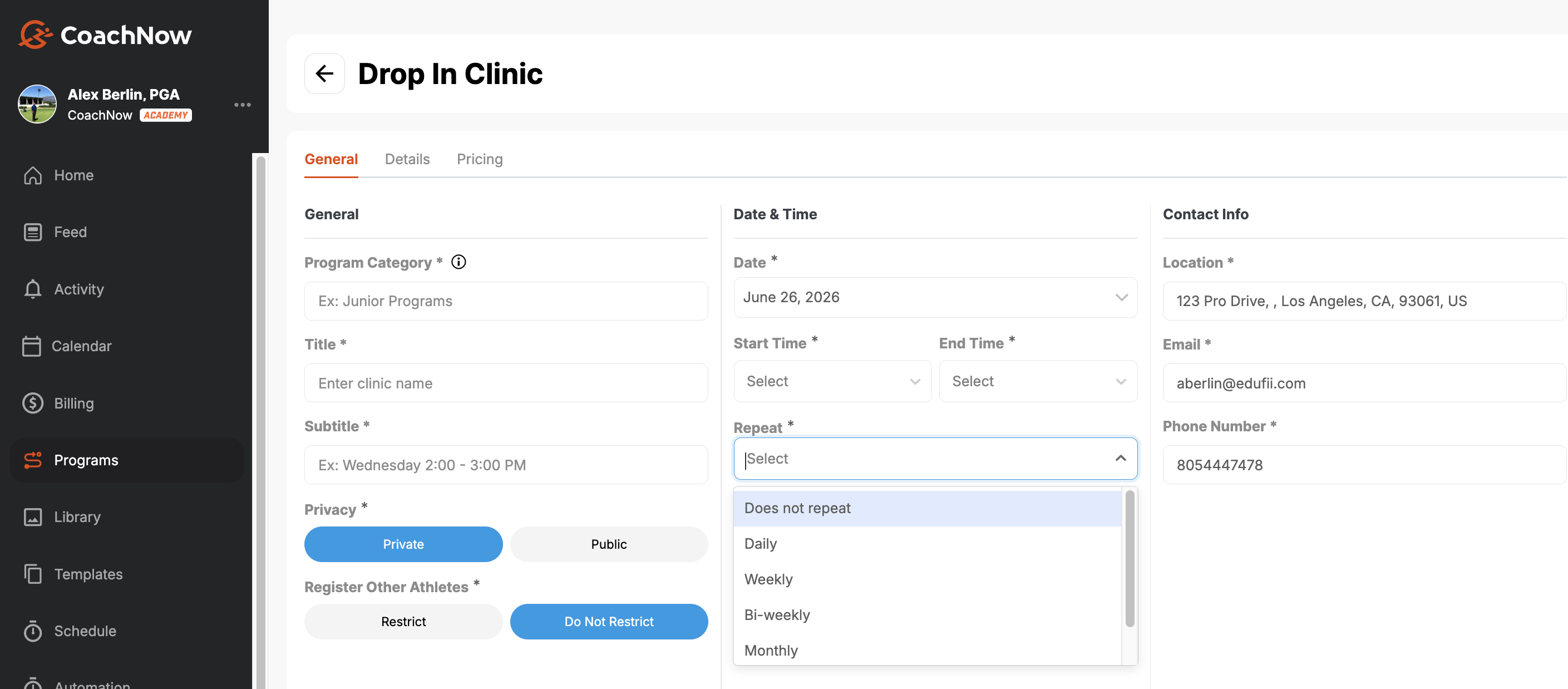
Repeating programs now support two views: build out individual classes in bulk, or a series view to keep everything in one place while still allowing individual class registration.
With bulk clinics, distinct clinics are created with the same name, price and details, with the dates based on your designated cadence.
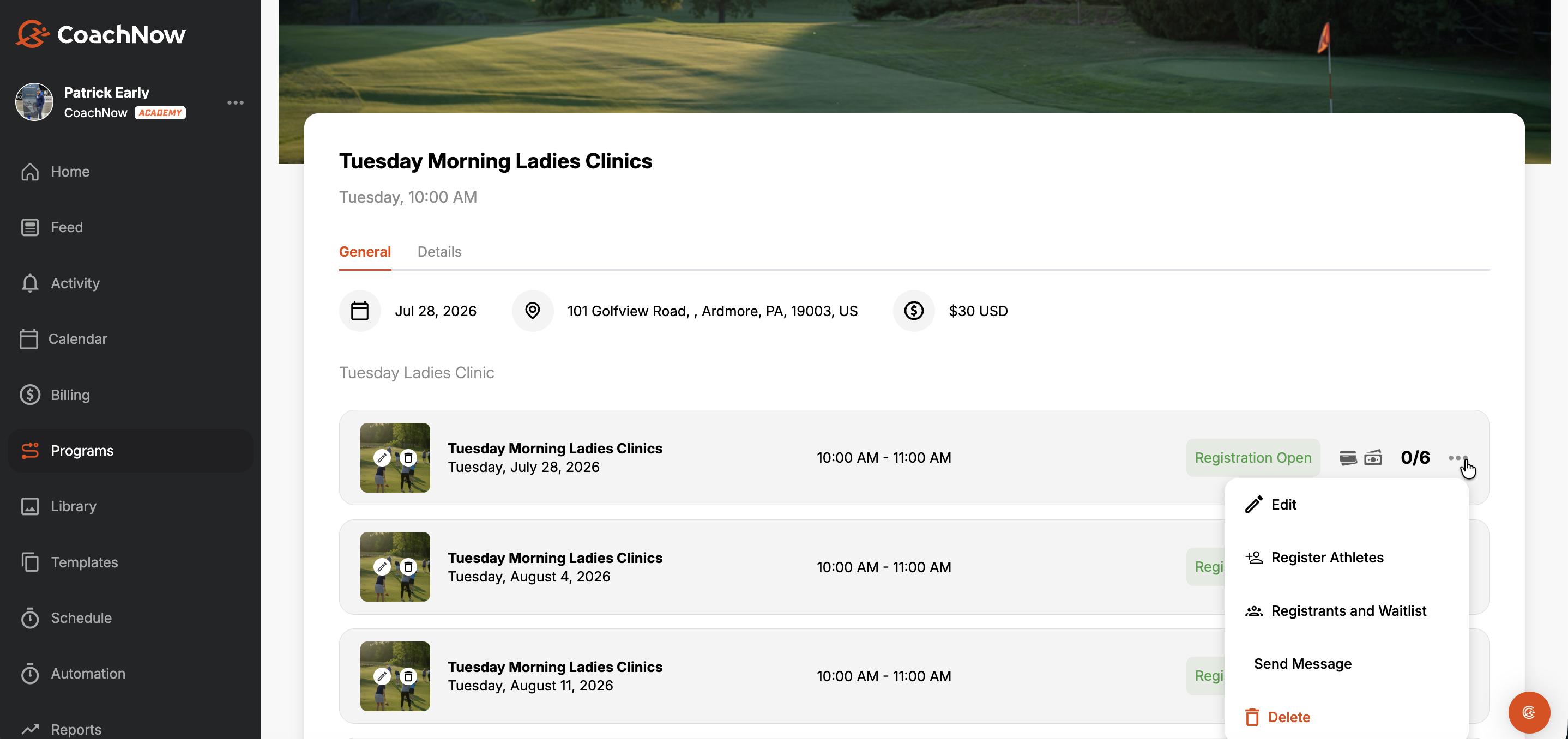
When you select series display, one "parent" clinic is created. Then, athletes will register for each underlying clinic individually.
If you select ‘series’, one clinic is created but athletes will be able to register for each one individually.
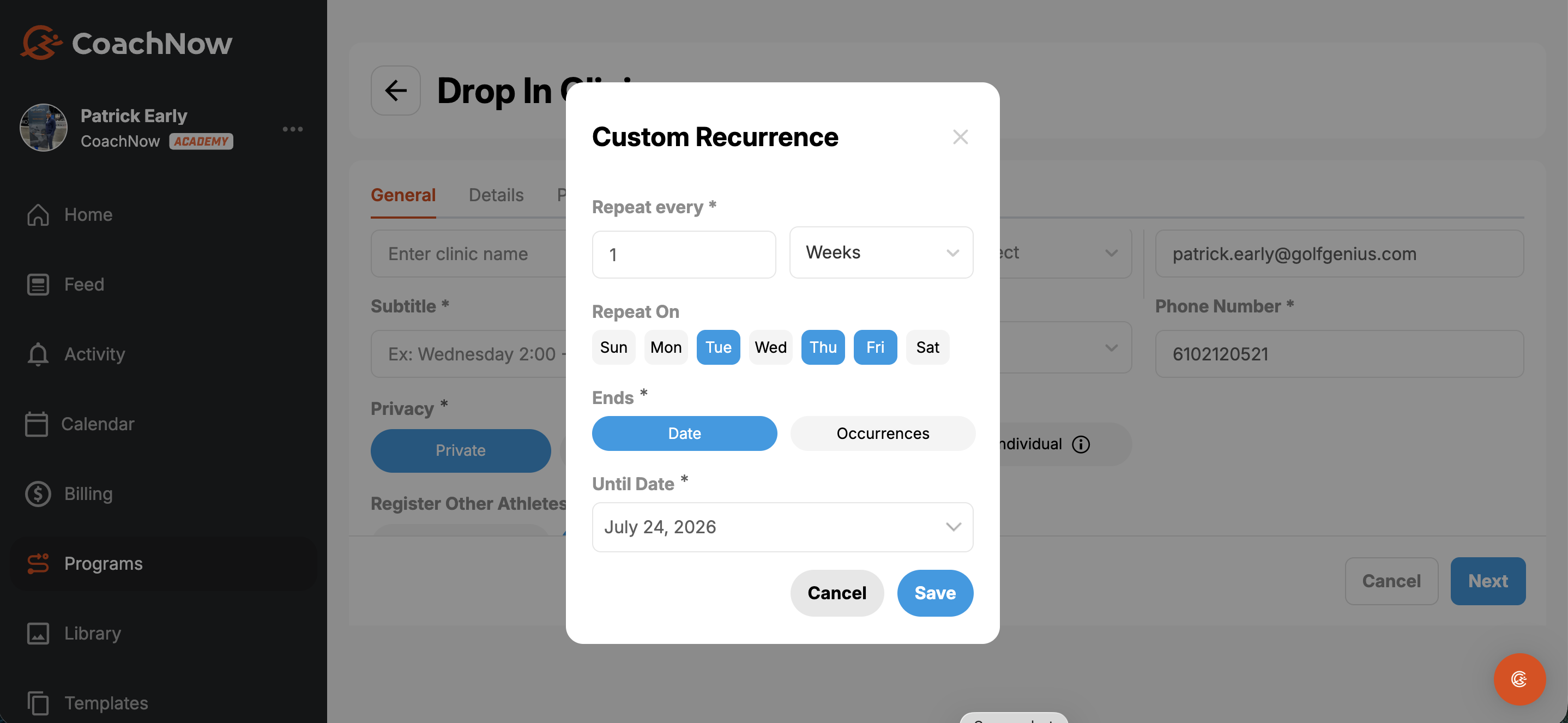
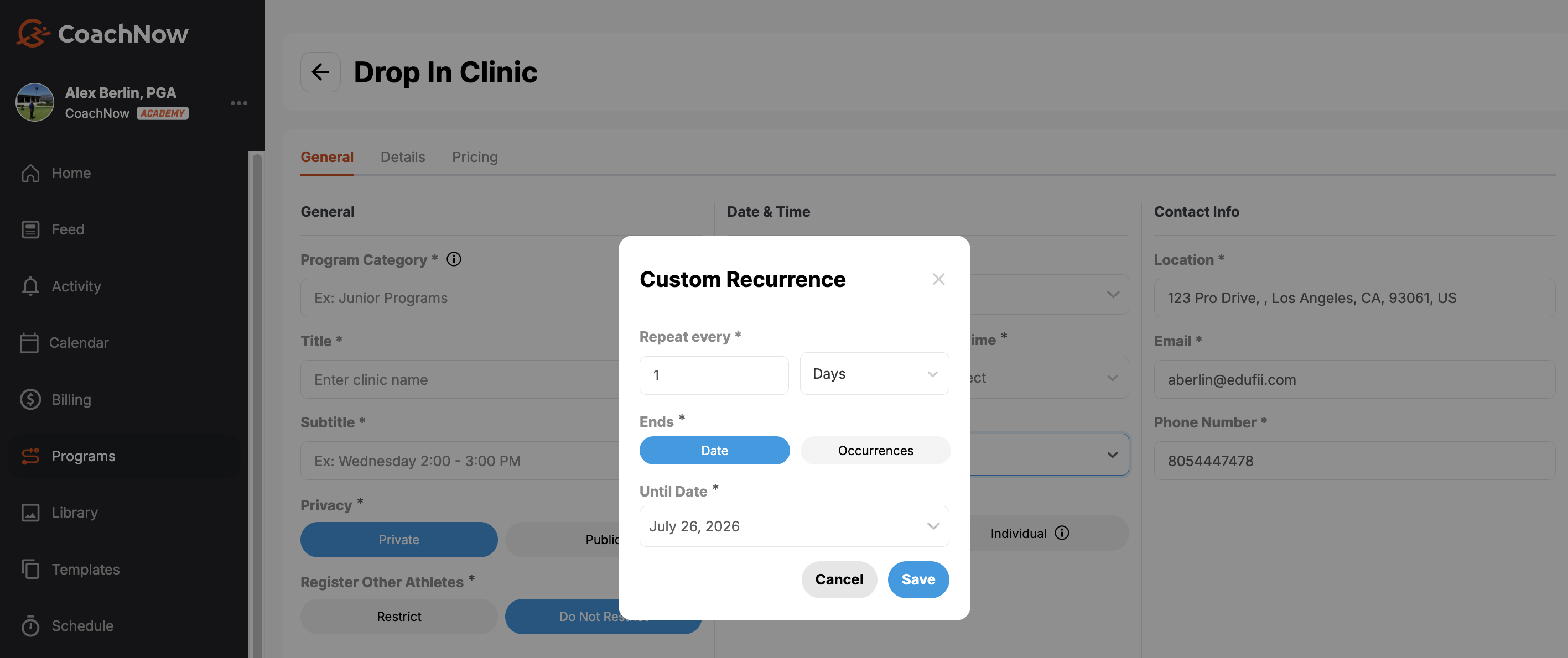
You can also create a ‘custom’ occurrence, repeating as often as you want, until a certain date cutoff or for a certain number of events.
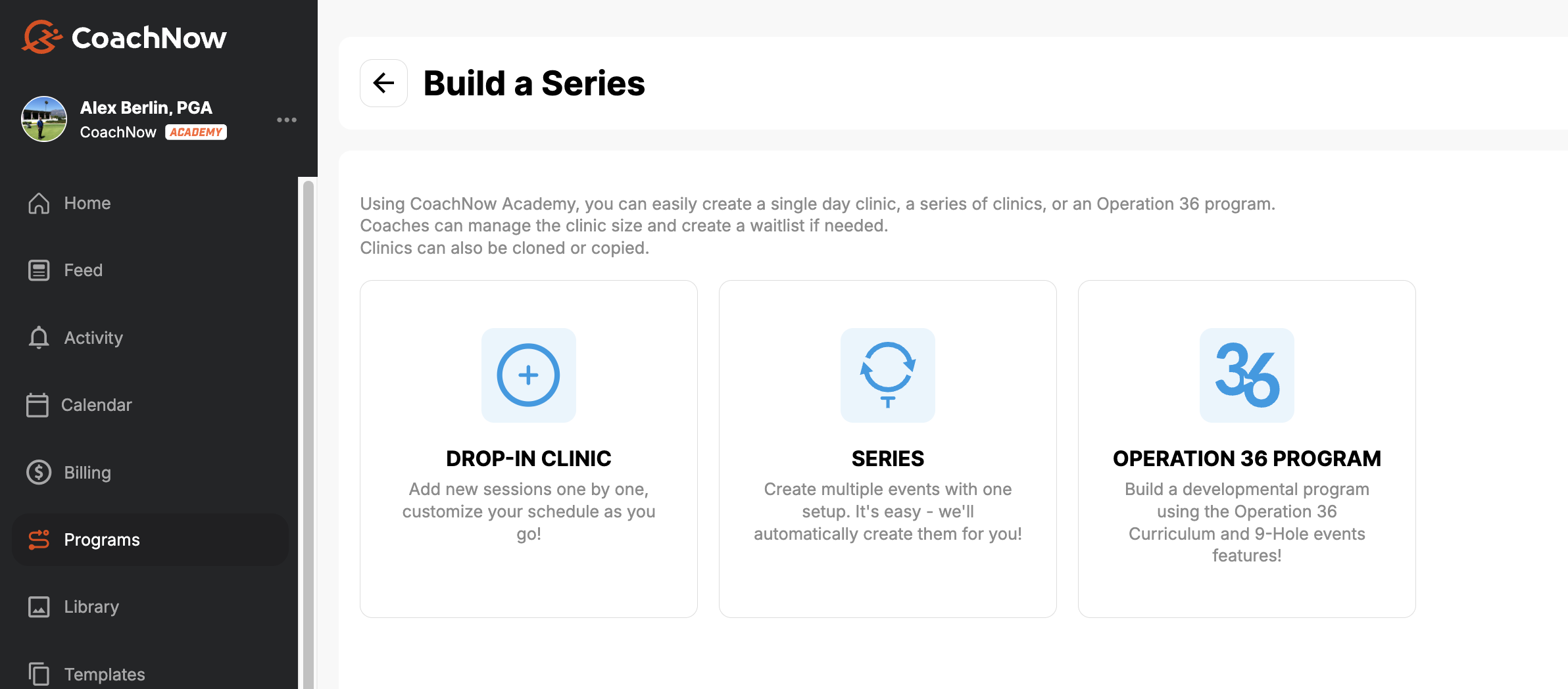
(Series View)
Enhancements
Billing and Payments
A lot of the work this month went into tightening up how money moves through the platform. Here's what changed.
Invoice display
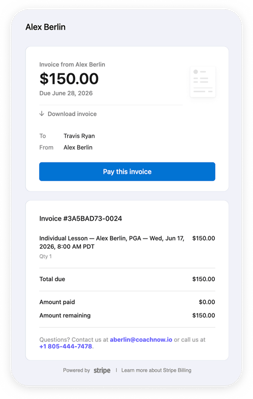
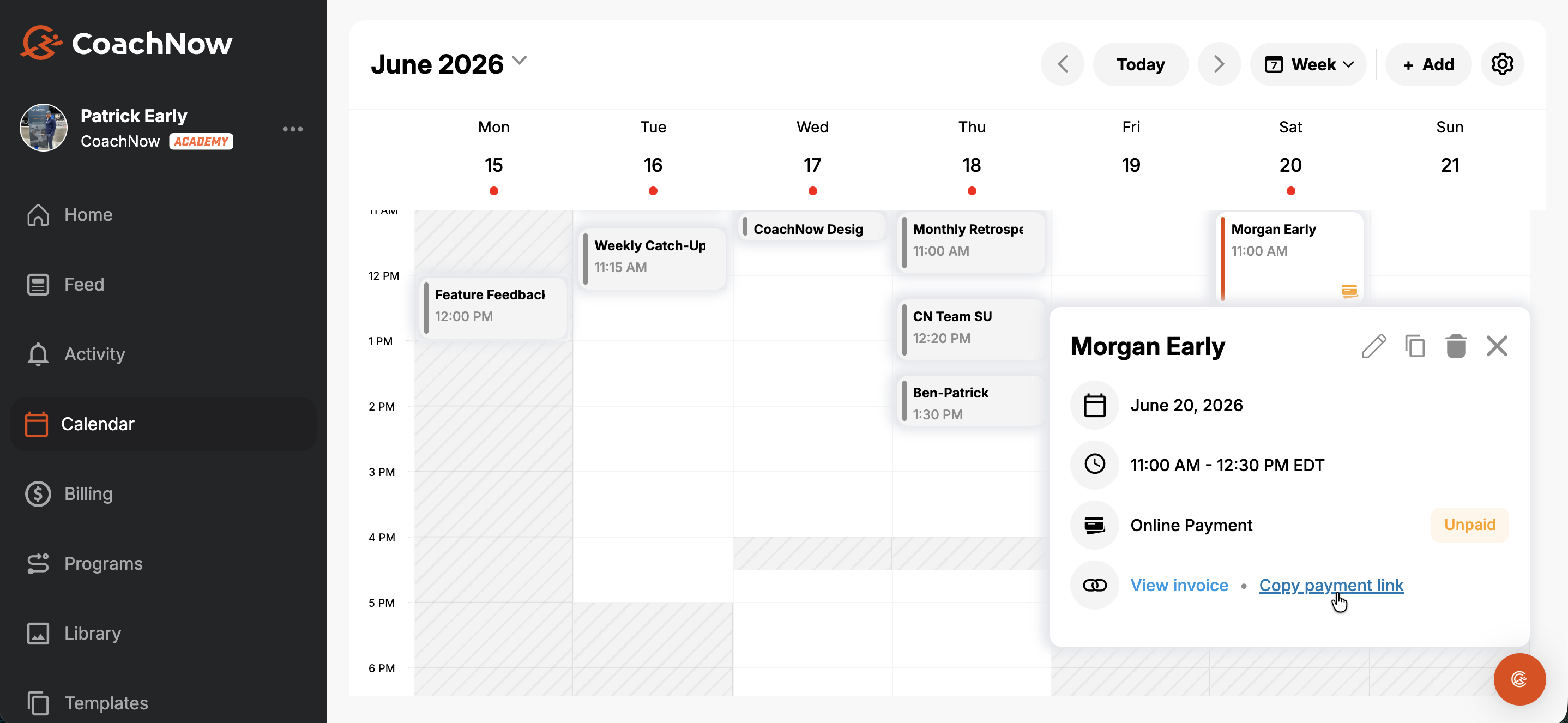
Invoices now show the session name, coach name, and date of the session. No more guessing what an invoice is for.
Additional billing improvements now live:
- Charging cards on file - more reliable, fewer edge cases
- Sending invoices - improved flow and controls
- View Invoice/Copy Payment Link
- Marking offline events as paid - cleaner workflow
- Credit card on file enhancements
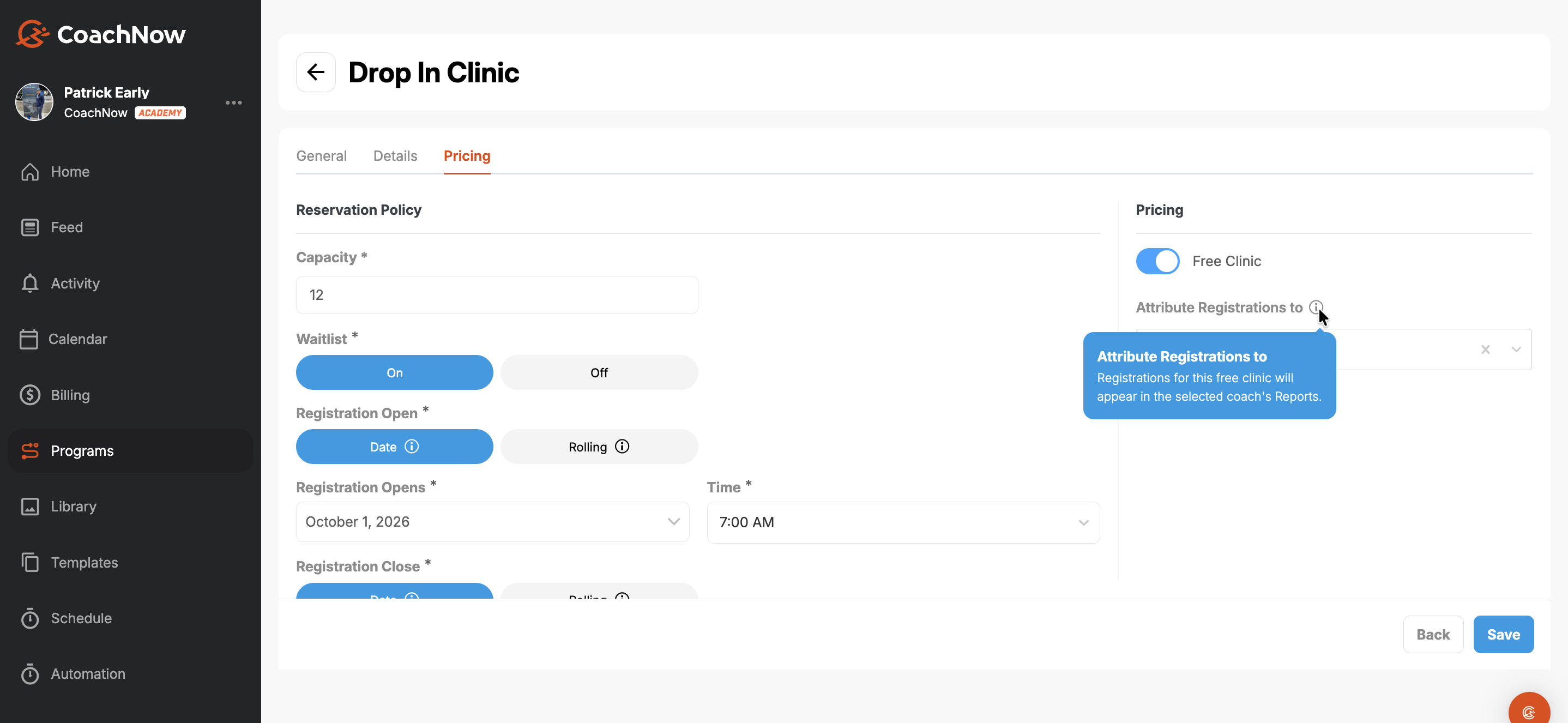
- Free clinic options available when creating programs
Visibility and reporting
- Transactions and package reports - continued improvements to clarity and accuracy
- Notification filters - control which notifications you receive and when
Contact info from calendar (mobile)
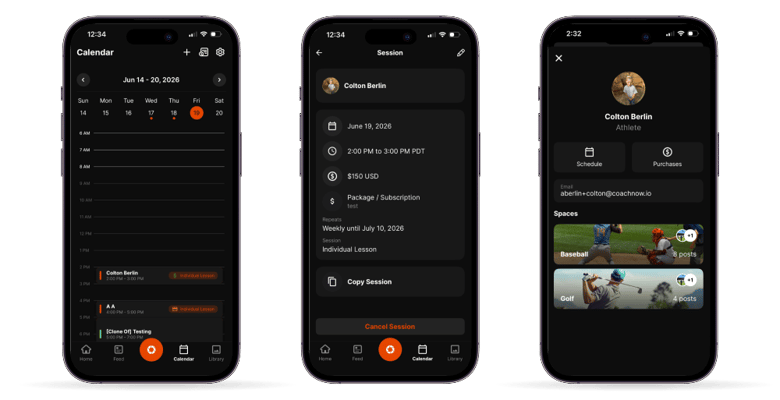
Tap a session on mobile and you now get direct access to the athlete's contact information. Web enhancements are coming soon.
What Your Clients Experience Now
These changes are live on the client side. Worth knowing so you can set expectations and so you understand why your support questions might be dropping.
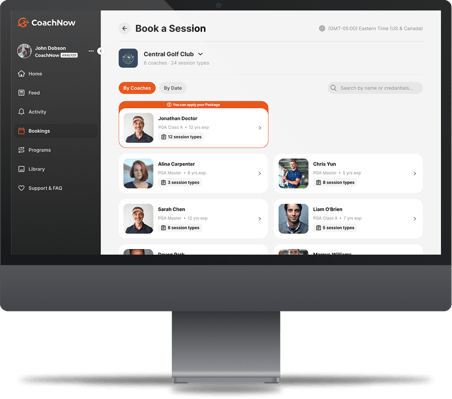
Package Eligibility at Booking
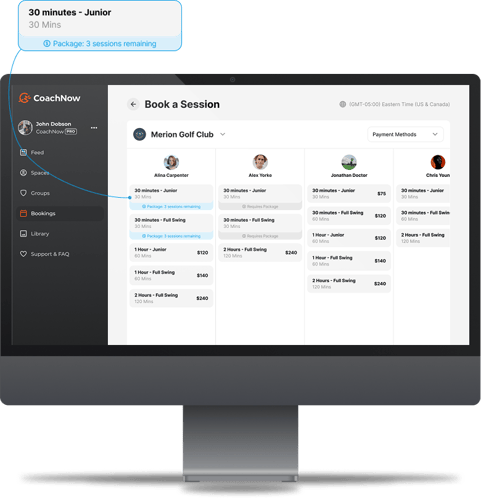
Clients can now clearly see which sessions their package applies to when they go to book. Sessions that require a package are labeled. No confusion about what they can and can't access.
Clearer Invoices
Client invoices now include a session description, coach name, and the date and time the invoice covers. This reduces the 'what is this charge?' question significantly.
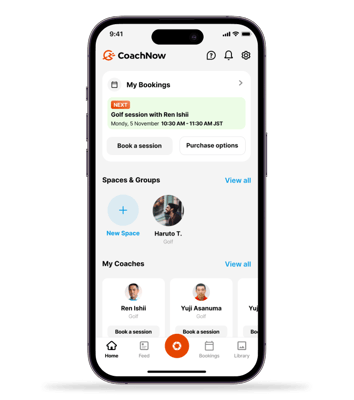
Upcoming Session Modal on Home Screen
Clients now see their next upcoming session directly on the home screen when they open the app. Less digging around, fewer missed sessions.
Coming Soon
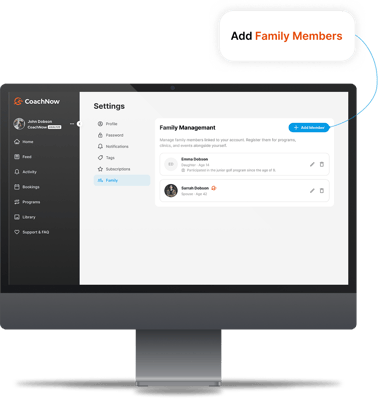
Family and Dependent Management
This is one of the most-requested features we've built toward.
Coming soon: clients will be able to add family members directly from registration or account settings, then manage bookings on behalf of each person from a single account.
What this means for you: when a family adds members, you'll have access to those additions when scheduling and managing sessions. No more separate accounts for each family member. One account, full visibility.
Athlete Booking Flow Redesign
A full rebuild of the booking UI is on the way: better calendar view, a 'next available day' toggle, clearer display when multiple coaches are available, and overall improved UX for both web and app.
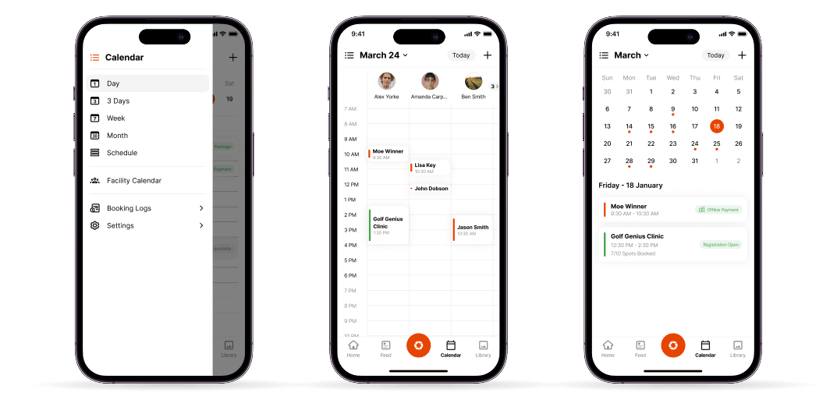
Mobile Calendar Upgrades
Mobile calendar is getting 3-day, 1-week, month, and facility views, matching the control and flexibility now available on web.
Also in progress:
- Granular controls on how and when invoices send
- Move registrants between programs
That's a lot of ground covered in a short amount of time, and there's more on the way.
Family management, a rebuilt athlete booking flow, and expanded mobile calendar views are all in progress. These are features coaches have been asking for, and we're excited to launch them.
Until then, start trying these out for yourself today!