
.jpg)
If you're serious about improving your technique in golf, baseball, tennis, or any sport, video analysis is a game-changer. But here's the catch: **the effectiveness of your video depends almost entirely on how you capture it.**
Most athletes and coaches focus on the swing or movement itself, but they overlook the camera work. Poor angles, inconsistent distances, and sloppy positioning waste hours of analysis time.
The good news? Getting this right doesn't require expensive equipment—just intentional setup and consistency.
There are dozens of angles you could use, but two angles dominate sports coaching: Face On and Down the Line. These are industry standards for a reason.
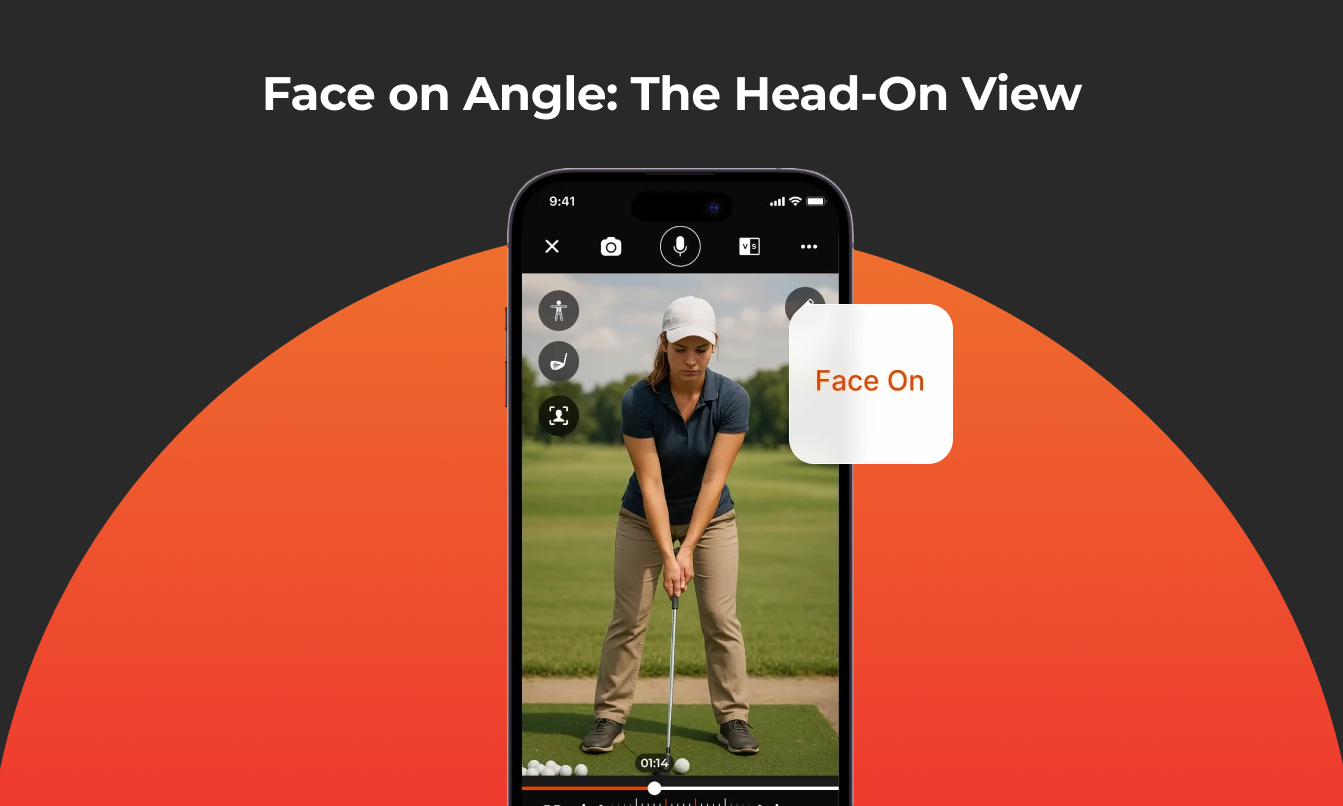
Face On Angle: The Head-On View
What it is: Camera positioned directly in front of you, as if it's having a conversation with you. This view shows your motion from the front, capturing symmetry, alignment, and upper-body mechanics.
Why it matters: Face-on footage reveals balance issues, shoulder rotation, and posture problems that side views miss. It's especially useful for comparing left and right symmetry.
Key Tips for Face On Recording
1. Position the camera at hand height
-Place your camera at roughly hand/waist height when you're in your athletic stance
-Why: This maintains accurate proportions and avoids distortion. Cameras positioned too high or too low skew how your motion looks on screen, making analysis unreliable
-Exception: Golfers often use portrait mode (vertical orientation) to keep both the golfer and club in frame
2. Use landscape mode (usually)
-Landscape mode gives you more horizontal space, so you can stay in frame without moving the camera too far back
-Exception: If your sport requires capturing a lot of vertical movement (like tennis serves or baseball pitches), portrait mode might work better
3. Invest in a stable setup
-Use a tripod, G-Pod, or similar stabilizing equipment
-Why: Shaky footage makes it harder to track movement patterns. A stable shot is the difference between usable and unusable video
4. Keep all equipment in frame
-This is critical in golf: don't let your club exit the screen during the swing
-If equipment is cut off, you lose valuable context for analysis
-Same applies to bats, rackets, or other tools
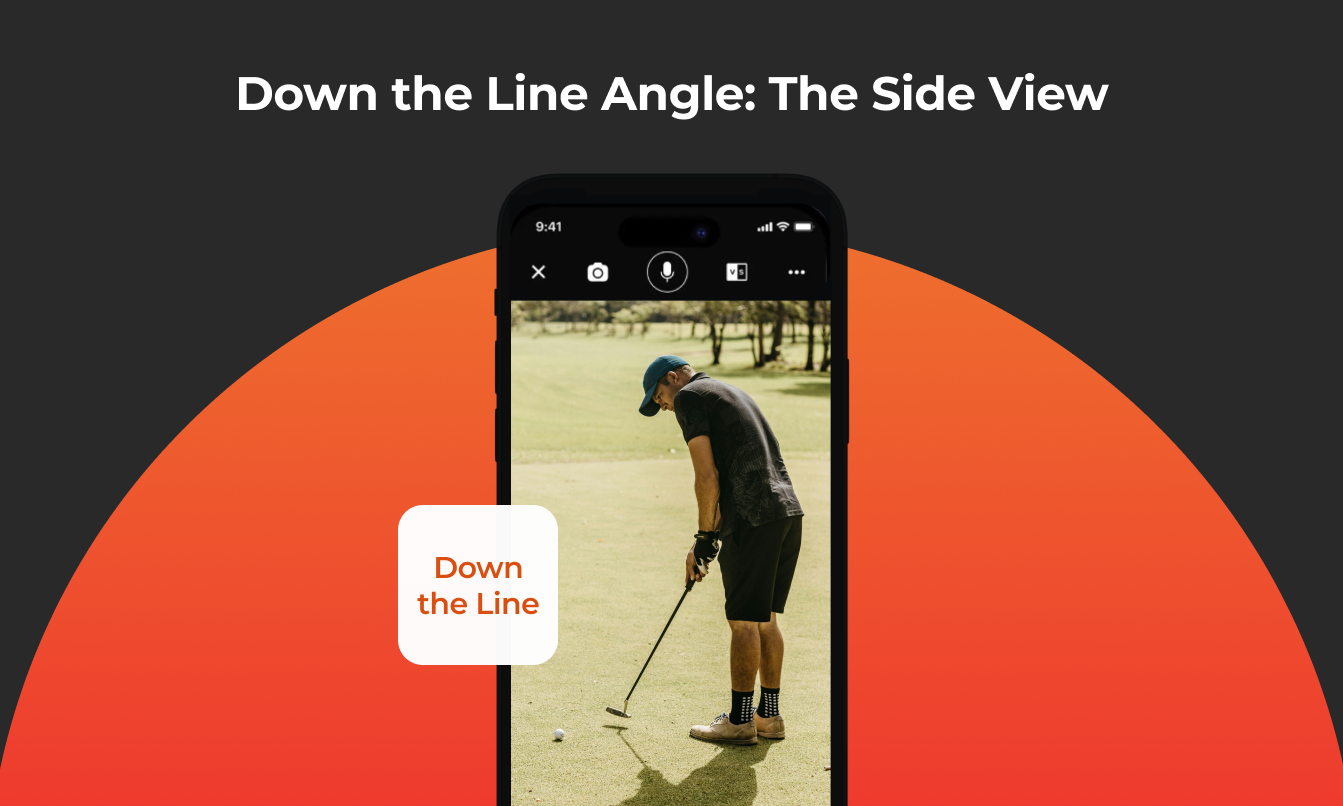
Down the Line Angle: The Side View
What it is: Camera positioned to the side, typically behind and slightly offset from your body. In golf, this is behind the player looking down the target line. In baseball, it might be from behind the batter or pitcher.
Why it matters: Down-the-line footage reveals swing path, club/bat plane, and alignment issues. It's the angle that shows whether your motion is truly inside, outside, or on plane.
Key Tips for Down the Line Recording
1. Position the camera at hand height (again)
-Use the same hand-height rule as face-on
-Why: This maintains a natural view of the swing path and body position relative to the ground
2. Get the camera angle parallel to your target line
-This is where most people mess up: if the camera is too far inside (toward your body), the club or bat will look more inside than it really is
-If it's too far outside, it'll look outside
-The fix: Position the camera parallel to your target line to eliminate this distortion
-Small angle mistakes = big misreads of your mechanics
3. Use visual reference points
-Lay down alignment sticks or draw a target line on the ground
-Why: This gives both you and your coach clear reference points for aim and body alignment
-It also makes comparing videos across weeks and months much easier
4. Stay consistent with distance and angle
-If you're tracking improvement over time, jumping between different setups creates confusion
-Your swing didn't change—the camera angle did, which makes it hard to measure real progress
.png?width=1343&height=489&name=Universal%20Best%20Practices%20(1).png)
Universal Best Practices (Works for Any Sport)
Whether you play golf, baseball, softball, hockey, tennis, or anything else, these principles apply:
✓ Set your camera at hand height (maintains proper proportions)
✓ Position the camera parallel to your movement (eliminates distortion)
✓ Use a tripod or stable setup (keeps shots clean and consistent)
✓ Keep all relevant equipment in frame (preserves context)
✓ Repeat the exact same setup for every session (enables reliable progress tracking)

FAQ: Common Questions About Recording Sports Video
Q: Do I need expensive equipment to record good video?
A: No. A smartphone mounted on a tripod or G-Pod works great. What matters is stable positioning and consistent setup, not camera price.
Q: Can I use just one angle?
A: Face On or Down the Line alone can work, but both angles together give you the complete picture. If you had to pick one, choose Down the Line for swing plane and path analysis.
Q: What if I don't have alignment sticks?
A: Draw a line on the ground with chalk or tape. Anything that gives you a visual reference helps.
Q: How often should I re-record?
A: Use the same setup for at least 2-4 weeks before changing anything. This gives you enough reps to see real improvement and confirms it's not just a camera angle difference.
Q: Should I record in portrait or landscape?
A: Landscape (horizontal) is usually best because it gives you more horizontal space. Exception: Golf and some vertical sports benefit from portrait mode.
Your Next Steps
1. Set up one angle (Face On or Down the Line) using these guidelines
2. Record 5-10 reps with consistent camera position
3. Compare your best rep to your worst rep and look for patterns
4. Keep the setup exactly the same for your next session
5. Review footage week-to-week to track real progress
If you're ever unsure about your setup, ask your coach to review your camera angle - they can spot positioning mistakes immediately. And remember: the more reps you get with consistent recording, the easier it becomes to capture footage that actually helps you improve.
With tools like CoachNow's video analysis features, you can take properly recorded footage and layer in annotation tools, side-by-side comparisons, and voice-over feedback. But none of that works well without a solid foundation, and that foundation starts with the camera setup.
Consistency in recording + power in analysis = measurable improvement.
Key Takeaway: Your camera setup determines whether video analysis helps or wastes time. Master Face On and Down the Line angles, keep your setup consistent, and let video become your competitive advantage.